
Time Tracker

Track where,
your time really goes

Start the timer in one click, work without interruption, and build a clear record of your time across projects and businesses.
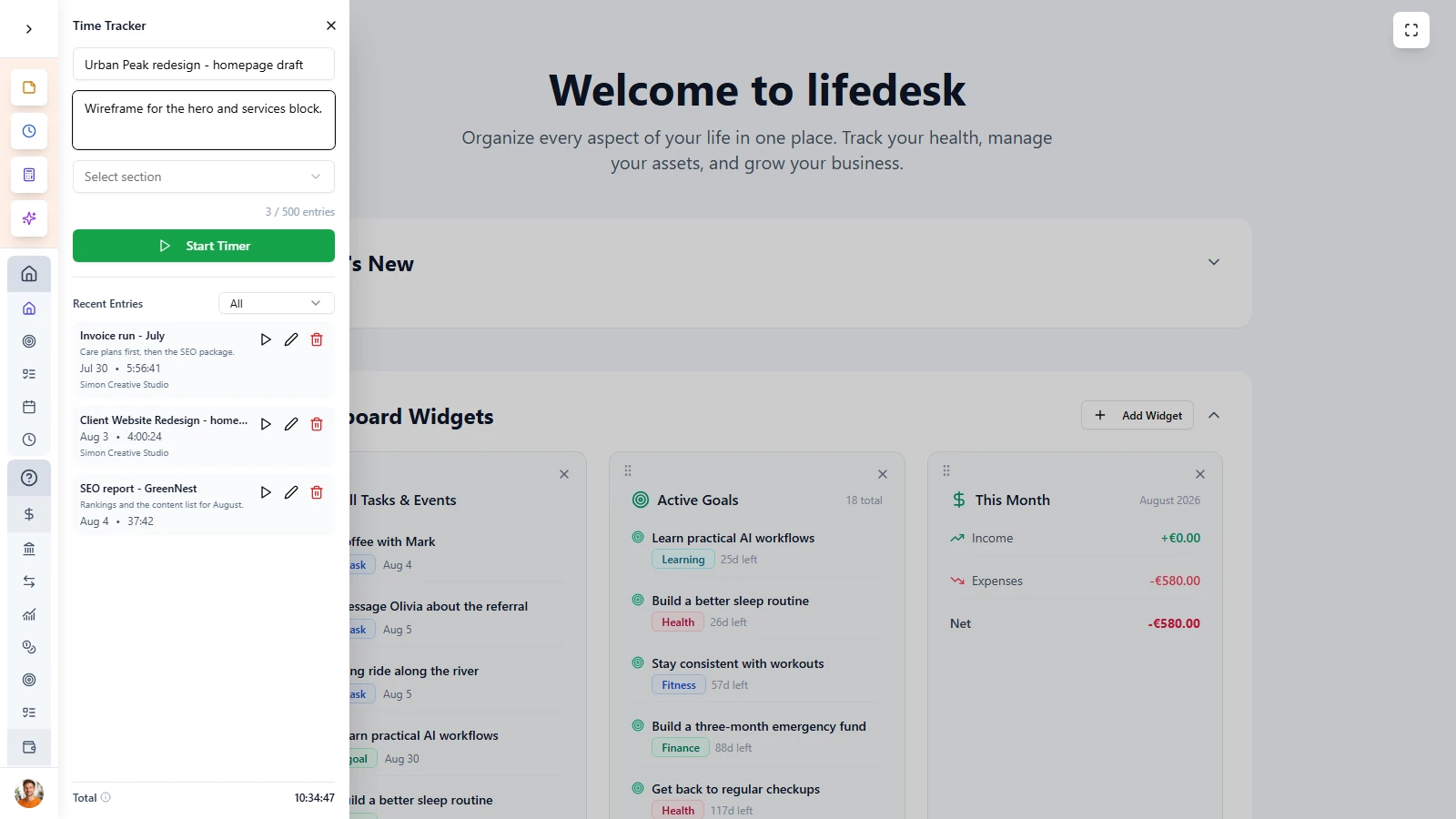
Track time without
interrupting your workflow

LifeDesk Time Tracker is built to stay out of your way while giving you better visibility into how you actually spend your hours. Start it quickly, keep working, and review the bigger picture later.


  • Start tracking with one click or shortcut
  • Keep the timer visible while you work
  • Pause and resume without losing accuracy
  • Build a reliable record of your work time over time

MAIN FEATURES

A time tracker
built for real work

LifeDesk Time Tracker combines fast tracking, clear attribution, and useful reports in one lightweight tool that lives where you already work.

Start instantly

Open the tracker, add what you are working on, and start the timer in seconds without leaving your current workflow.

Pause and resume

Pause the timer when life interrupts and resume when you are back, so your logged time stays accurate without extra cleanup.

Track by business

Assign each time entry to the right business or leave it unassigned for personal or admin work, then review where your time actually went.

Reports that reveal patterns

Review time entries with AI help for all areas understand workload, protect focus time, and make better decisions.

Almost everybody

Who is
Time Tracker for?

Freelancers

Track billable work accurately across different clients and businesses without relying on guesswork.

Consultants

Log time across multiple engagements and keep a cleaner record for reporting, planning, or invoicing.

Entrepreneurs

See how much time goes into client work, admin, growth, and operations so you can adjust where your energy goes.

Anyone who wants more focus

Build more awareness around your real working hours and reduce the gap between planned work and actual time spent.

Time Tracker is built for people who want accurate time records, better awareness, and a clearer picture of how work hours are really spent.

ADVANTAGES

More clarity,
less guessing

LifeDesk Time Tracker helps you measure work in context, so your time data becomes useful for decisions instead of just filling another app.


  • Track hours without switching to a separate tool
  • Keep time entries connected to your business context
  • Stay accurate with pause, resume, and smart alerts
  • Review patterns through clear time reports
  • Use real time data to improve planning and focus

Get started today

Ready to take control
of your life?

Join LifeDesk to organize your life, track goals, and grow your business — all in one place.

Free forever · No credit card required · Web, iOS & Android

FAQ

Frequently asked questions

Get clear answers about how Time Tracker works in LifeDesk and how it helps you track, review, and understand your time.

What is Time Tracker in LifeDesk?

Time Tracker is a built-in tool that lets you start, pause, resume, and stop time tracking directly inside LifeDesk without leaving your current workflow.

Can I assign time to a specific business?

Yes. Each time entry can be assigned to a specific business, which makes it easier to understand how your hours are distributed.

Can I pause and resume a timer?

Yes. LifeDesk Time Tracker supports pause and resume, so breaks and interruptions do not inflate your tracked time.

Does LifeDesk keep a history of time entries?

Yes. Every tracked session is saved with description, date, duration, and business assignment so you can review your full history later.

Can I see reports for my tracked time?

Yes. LifeDesk provides time reports with totals and breakdowns by date range, business, and work description.

Does Time Tracker help prevent mistakes?

Yes. It includes smart alerts such as idle detection, long-running session reminders, and accidental close protection.

Who benefits most from Time Tracker?

It is especially useful for freelancers, consultants, entrepreneurs, remote workers, and anyone who wants a clearer picture of where time really goes.

Why use LifeDesk Time Tracker instead of a separate app?

Because it lives where you already work. You can track time in context, connect it to your business, and review reports without managing another tool.