
Clients

Keep every
client relationship clear

Store contact details, notes, status, linked projects, and lifetime value in one simple CRM built for freelancers and small businesses.
Know every client
beyond a spreadsheet row

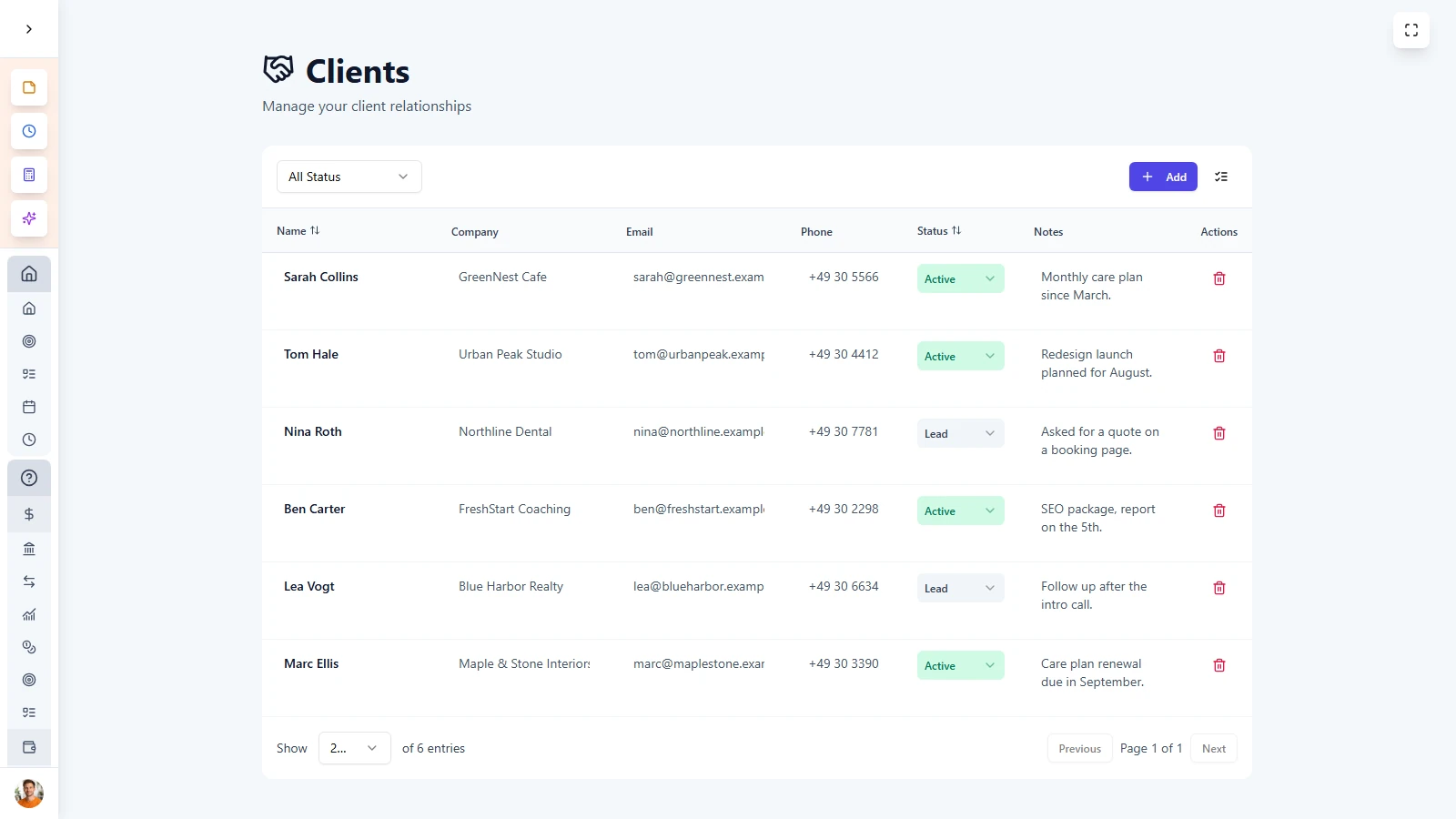
LifeDesk gives you a focused client workspace where every relationship has real context. Keep contact details, notes, linked projects, and revenue history together, so you always know who a client is, what work is active, and how valuable the relationship has become.


  • Store contact details, company info, and client notes
  • Track client status from lead to past client
  • Link clients to projects and business income
  • See lifetime value and relationship context in one place

Almost everybody

Who is
Clients for?

Freelancers & Solopreneurs

Keep track of clients, projects, payments, and notes without needing a full enterprise CRM.

Agencies

Track a growing client base, recurring work, and relationship status in one organized system.

Consultants

Manage multiple business relationships with clearer history, project links, and better visibility before every call or meeting.

Service providers

Keep client context, communication notes, and linked work easy to access whenever you need it.

Clients is built for people who want a simple CRM that helps them stay organized, remember context, and manage business relationships with less friction.

ADVANTAGES

A CRM that
stays practical

LifeDesk helps you manage clients without the cost, complexity, or clutter of traditional CRM software.


  • Client profiles, notes, and relationship status in one place
  • Link clients directly to projects and business finance
  • Track lifetime value without complex CRM setup
  • Use one CRM across multiple areas inside LifeDesk

Get started today

Ready to take control
of your life?

Join LifeDesk to organize your life, track goals, and grow your business — all in one place.

Free forever · No credit card required · Web, iOS & Android

FAQ

Frequently asked questions

Get clear answers about how Clients works in LifeDesk and how it helps you manage relationships more clearly.

What is the Clients feature in LifeDesk?

Clients is LifeDesk’s built-in CRM. It helps you store contact details, notes, relationship status, linked projects, and lifetime value in one focused workspace.

What can I store for each client?

You can store name, email, phone number, company, notes, lifetime value, relationship status, and the business the client belongs to.

Can I link clients to projects?

Yes. Clients can be linked to one or more projects, so you can quickly see active and past work connected to each relationship.

Can I track client lifetime value?

Yes. LifeDesk helps you track how much revenue a client has generated over time, giving you a clearer picture of their long-term business value.

Can I track where a client relationship stands?

Yes. Clients can move through statuses such as Lead, Active, Inactive, and Past, so you always know the stage of each relationship.

Can I search and filter my client list?

Yes. You can search by name, email, or company, and filter or sort clients by status, value, or date added.

Is Clients only for large sales teams?

No. It is especially useful for freelancers, consultants, agencies, and service providers who want client clarity without needing a heavy CRM system.

Why use LifeDesk Clients instead of a spreadsheet?

A spreadsheet stores rows. LifeDesk stores relationships. You get client context, linked projects, notes, lifetime value, and connected workflows in one much more useful system.