
Projects

Keep every
project on track

Organize business projects, timelines, priorities, clients, and revenue targets in one clear workspace built for real business work.
See every project
with full context

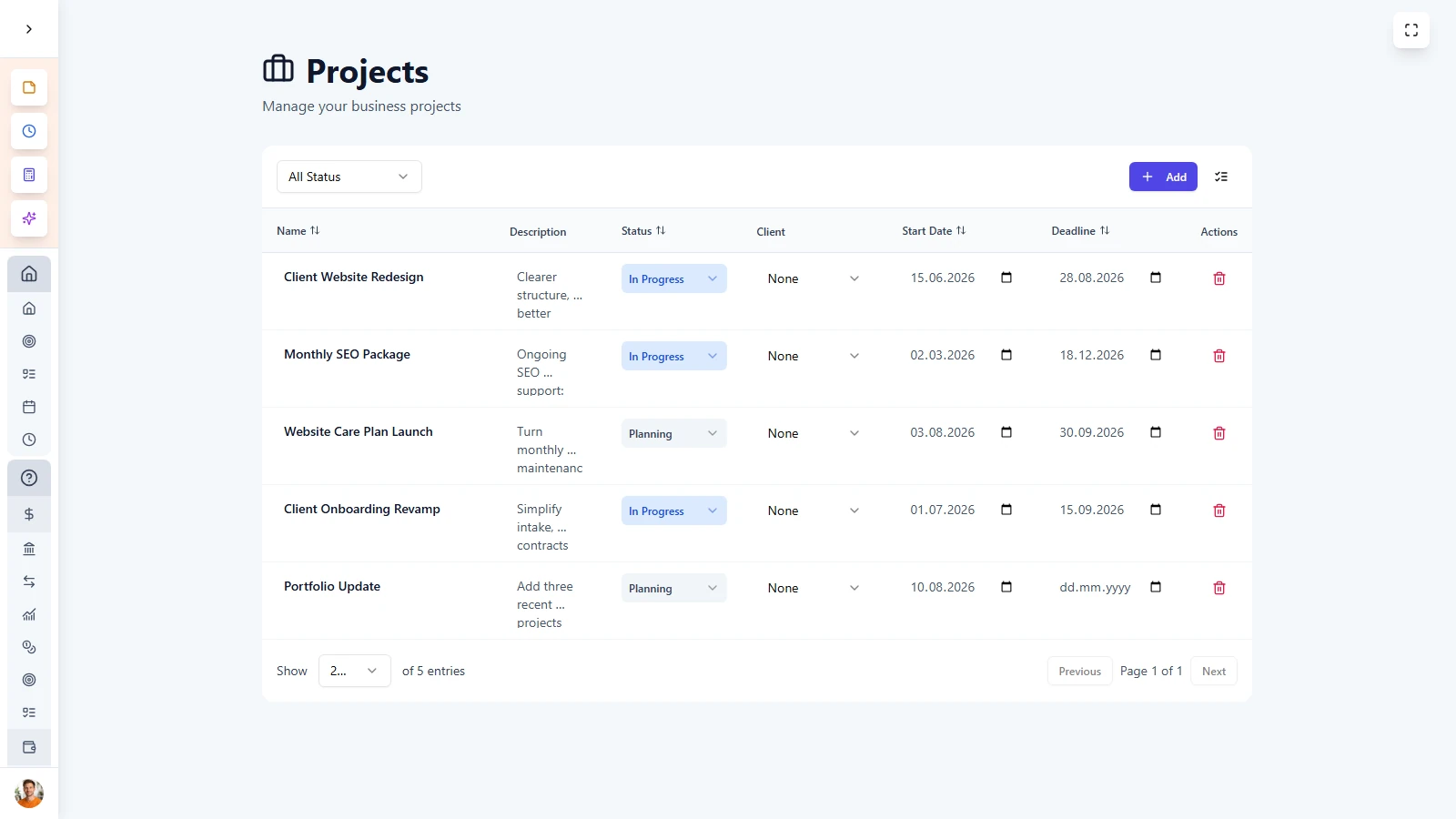
LifeDesk gives every project its own structured workspace, so you always know what it is, who it belongs to, where it stands, and what comes next. Track deadlines, priorities, clients, and financial value without relying on messy spreadsheets.


  • Manage project status, priority, and deadlines
  • Link projects to all important areas
  • Track revenue targets per project
  • Keep all active project work in one focused view

Almost everybody

Who is
Projects for?

Freelancers & Solopreneurs

Manage multiple client deliverables at once with clearer deadlines, priorities, and project context.

Agencies

Track project status across different clients and services without needing heavy enterprise project tools.

Consultants

Keep scopes, timelines, client links, and revenue targets organized in one simple system.

Entrepreneurs

Run internal initiatives, launches, or operational projects with better structure and visibility.

Projects is built for people who need more than a simple task list, but less complexity than traditional project management software.

ADVANTAGES

Turn goals
into real progress

LifeDesk helps you manage projects with enough structure to stay in control, without adding unnecessary complexity to your workflow.


  • Give each project its own timeline, status, and priority
  • Connect projects to clients, tasks, goals, and finance
  • Track pipeline and expected value with targets
  • Filter and sort projects by deadline, client, or status

Get started today

Ready to take control
of your life?

Join LifeDesk to organize your life, track goals, and grow your business — all in one place.

Free forever · No credit card required · Web, iOS & Android

FAQ

Frequently asked questions

Get clear answers about how Projects works in LifeDesk and how it helps you manage business work more clearly.

What is a project in LifeDesk?

A project is a structured workspace for a specific piece of business work, such as a client job, product initiative, or internal business project.

What can I track for each project?

You can track name, description, status, priority, start date, deadline, linked client, revenue target, and the business the project belongs to.

Can I link projects to clients?

Yes. Projects can be linked to clients, making it easier to see which work belongs to whom and navigate between client records and project details.

Can I set revenue targets for projects?

Yes. Each project can include a revenue target so you can understand pipeline value and compare expected value with actual business income.

Can I filter and sort my projects?

Yes. You can filter projects by status, priority, or client and sort them by deadline, start date, or creation date.

How do Projects connect to the rest of LifeDesk?

Projects connect to clients, business tasks, business goals, finance, and your calendar, so project work stays part of your wider business system.

Is Projects only for client work?

No. You can also use Projects for internal initiatives, launches, product development, operational work, or any other structured business effort.

Why use Projects instead of a spreadsheet?

LifeDesk gives you clearer project status, deadlines, priorities, client links, and connected workflows, without the manual chaos and limited visibility of spreadsheets.