
CALENDAR & EVENTS

All your plans.
One calendar.

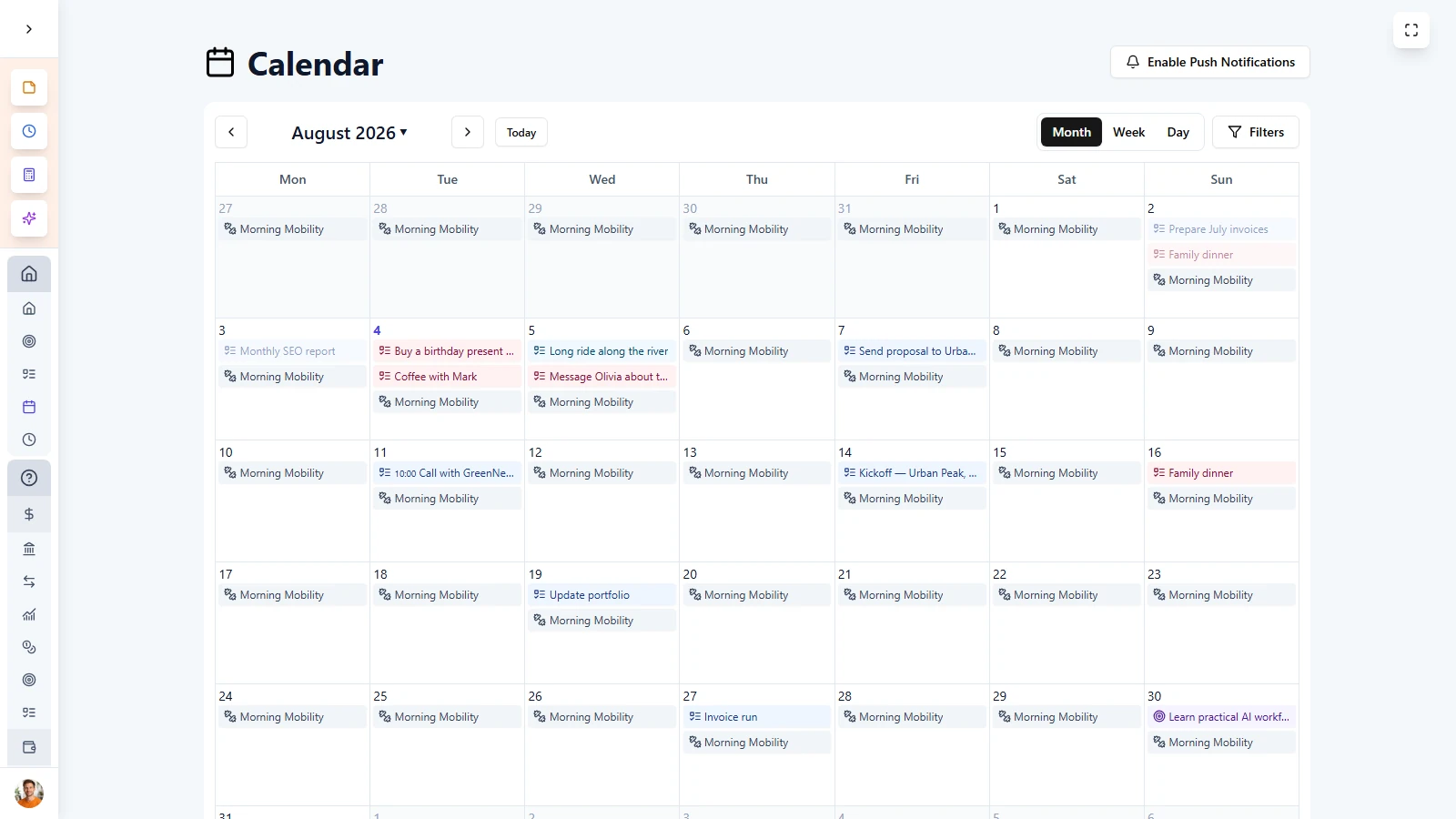
Bring together tasks, goals, and events from every life area and business in one clear calendar view.
Why Calendar & Events
in LifeDesk?

LifeDesk gives you one calendar for your entire life and business. See tasks, goals, and events from all categories in one place, stay on top of what matters, and stop switching between separate tools.


  • Organize by life area and business
  • Get Push Notifications
  • Reminders
  • Recurring tasks, goals, and events

Almost everybody

Who is
Calendar & Events for?

Busy individuals

Keep track of appointments, deadlines, and personal plans in one organized calendar.
N

Goal-driven users

Text: See your goals together with daily tasks and events, so planning and progress stay connected.

Freelancers and solopreneurs

Manage client work, business plans, and personal appointments without switching between calendars.

Anyone tired of scattered planning

Replace multiple scheduling tools with one calendar for your full life and business.

Calendar & Events helps you bring tasks, goals, and appointments from every life area and business into one clear calendar.

FLEXIBLE PLANNING

Plan your
month, week, or day

Switch between calendar views to plan ahead, stay focused, and manage your time with more clarity.


  • Monthly view for a full overview
  • Weekly view for detailed planning
  • Daily view for focused execution
  • Move from big-picture planning to daily action

Get started today

Ready to take control
of your life?

Join LifeDesk to organize your life, track goals, and grow your business — all in one place.

Free forever · No credit card required · Web, iOS & Android

FAQ

Frequently asked questions

Get clear answers about how Calendar & Events works in LifeDesk and how it helps you plan across life and business.

What can I see in the LifeDesk calendar?

The LifeDesk calendar shows tasks, goals, and events from your personal and business areas in one place, so you can manage your full schedule without switching between different apps.

Can I use different calendar views?

Yes. LifeDesk includes monthly, weekly, and daily calendar views, so you can switch between a full overview and more detailed planning whenever you need to.

Can I create tasks, goals, and events directly from the calendar?

Yes. You can create tasks, goals, and events directly inside the calendar, which makes scheduling faster and keeps planning connected to action.

Does the calendar support recurring entries?

Yes. LifeDesk supports recurring entries, including flexible repeat options for daily, weekly, and monthly planning.

Can I add reminders to calendar entries?

Yes. You can configure reminders before important dates and events, helping you stay on top of deadlines and appointments.

Is the calendar only for personal planning?

No. LifeDesk is built for both personal and business planning, so you can manage appointments, deadlines, projects, and priorities in one connected calendar.