
AI Assistant

Your AI,
connected to your life

Ask questions, think through decisions, and plan faster with an AI assistant that stays beside your work instead of pulling you into another tab.
Your second Brain
inside LifeDesk

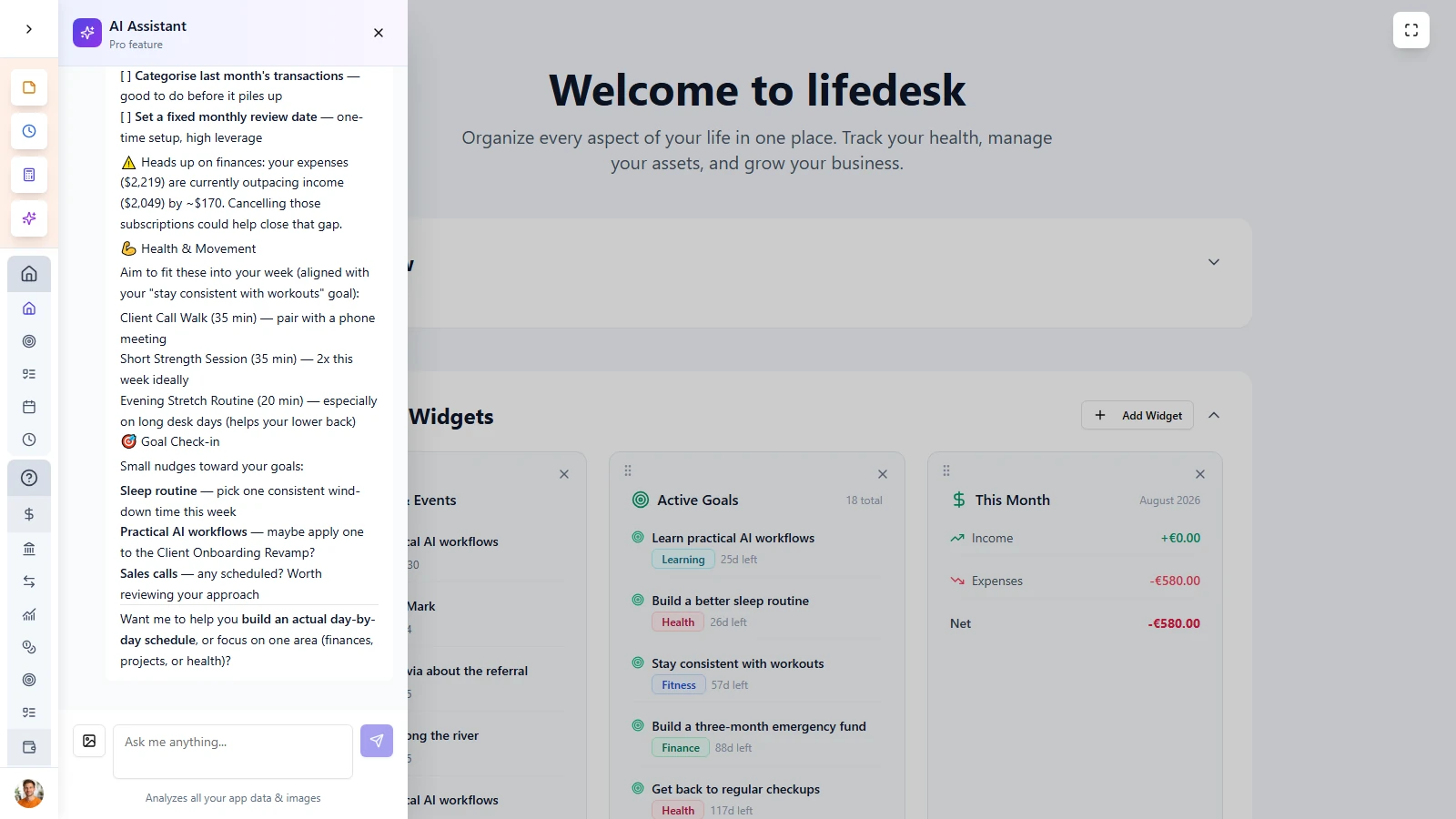
LifeDesk AI Assistant is built into your daily workflow, so help is always close when you need it. Open the panel, ask your question, and keep your current page visible while the conversation continues beside your work.


  • Use AI instantly from anywhere in LifeDesk
  • Get suggestions and direct help
  • Analyzes all your data & images
  • Your second Brain, so you don’t have to remember everything

MAIN FEATURES

An AI Assistant
that’s built into your Life

LifeDesk AI Assistant combines fast access, persistent memory, broad usefulness, and clean responses in one tool that stays where you already are.

Always one click away

Open the assistant with one click or shortcut and chat in a side panel without losing your place in the app.

AI Second Brain

LifeDesk AI Assistant works like a second brain built into your workflow, helping you organize, and make better decisions across your life and business.

Remembers everything

Data and images stay available across sessions, so the AI Assistant has a hollistic image of your life and business.

Your data is save

Your data stays always your data and never leaves LifeDesk!

Almost everybody

Who is
Notes for?

Planners and organized thinkers

Break goals into steps, think through trade-offs, and get help structuring plans without losing momentum.

Entrepreneurs and business owners

Get quick support with pricing, budgeting, strategy, content ideas, and other day-to-day business decisions.

Health and fitness focused users

Ask for guidance on routines, meal structure, training ideas, habits, and clearer ways to think about personal progress.

Anyone who feels overwhelmed

Use AI as a thinking partner when you need help prioritizing, simplifying, or deciding what to do next.

AI Assistant is built for people who want quicker thinking, clearer planning, and better decisions without interrupting what they are already doing.

ADVANTAGES

More clarity,
fewer tabs

LifeDesk AI Assistant keeps thinking, planning, and decision support inside your real workflow instead of sending you somewhere else.


  • Ask for help without opening another app or tab
  • Keep your conversations connected 
  • Continue earlier chats with preserved history
  • Use AI across personal life and business
  • Move faster from question to action inside LifeDesk

Get started today

Ready to take control
of your life?

Join LifeDesk to organize your life, track goals, and grow your business — all in one place.

Free forever · No credit card required · Web, iOS & Android

FAQ

Frequently asked questions

Get clear answers about how AI Assistant works in LifeDesk and why it feels more useful than switching to a separate AI tool.

What is AI Assistant in LifeDesk?

AI Assistant is a built-in chat panel that opens from anywhere in LifeDesk, helping you think, plan, and make decisions without leaving your workflow.

What can I ask the AI Assistant?

You can ask about finance, goals, productivity, health, fitness, marketing, planning, decision-making, and other life or business topics relevant to what you are working on.

What can I ask the AI Assistant?

You can ask about finance, goals, productivity, health, fitness, marketing, planning, decision-making, and other life or business topics relevant to what you are working on.

Does AI Assistant remember previous conversations?

Yes. Conversation history is preserved across sessions, so you can return to earlier discussions and continue where you left off.

Do I have to leave the page to use it?

No. AI Assistant opens as a side panel, so your current page stays visible while you chat.

Why use this instead of opening ChatGPT in another tab?

Because AI Assistant stays inside your workflow. You get help faster, keep your context, and do not need to interrupt what you are doing.

Is it useful for both personal life and business?

Yes. It is designed to support both personal and business planning, from goals and routines to pricing, strategy, and prioritization.

Are the responses easy to read?

Yes. Responses are formatted clearly with structure such as headings, lists, and emphasis, and they stream in naturally as they are generated.

Who benefits most from AI Assistant?

It is especially useful for planners, entrepreneurs, health-focused users, and anyone who wants a fast thinking partner inside their daily workflow.