Pick one single workspace and move everything into it. That’s the fastest way to stop projects from slipping when you’re running a business alone. LifeDesk works well as that single home because it holds tasks, goals, calendar, notes, and client contacts in one place across web, iOS, and Android. No more hunting across three apps to remember what you promised a client last Tuesday.
Three things to do in the next hour:
- Capture today’s top 3 tasks. Not your full backlog. Just the three things that, if done today, move your business forward. Use the Eisenhower Matrix as a quick filter: urgent and important goes on the list; everything else waits.
- Schedule a 30-minute weekly tidy. Block it now, same day every week. This is the session where you prune dead tasks, reset priorities, and check deadlines.
- Set one deadline for your current top project. Write it as a SMART objective: specific, measurable, achievable, relevant, and timebound. “Finish client proposal” is not a deadline. “Send revised proposal to [Client] by Friday at 3 PM” is.
Those three moves alone will reduce the mental overhead that causes most solo project failures.
Table of Contents
What does a practical project management system look like for solopreneurs?
The goal isn’t a perfect system. It’s a system you’ll actually use next Monday. A lean solo approach focuses on fast capture, a short weekly review, and a daily top-3 focus rather than full-scale backlog management. Here’s a five-step structure that fits a one-person business without turning into a second job.
One home. Every task, note, deadline, and client detail lives in one place. Context switching between apps is where tasks go to die. Pick your workspace and commit to it for at least 90 days before evaluating.
Capture everything. When a task or idea surfaces, log it immediately. If adding a task isn’t frictionless, you won’t do it consistently. A quick-add shortcut or mobile widget matters more than any feature list.
Plan the week on Monday morning. Pull from your backlog, check deadlines, and set your top 3 priorities for each day. This takes 15–20 minutes and prevents the “what should I work on?” paralysis that kills solo productivity.
Timebox the day. Structure your work into focused blocks rather than an open-ended to-do list. Two 90-minute deep-work blocks in the morning handle your most important creative or client work. A shorter afternoon slot covers email, admin, and quick tasks. If you prefer shorter cycles, the Pomodoro method (25 minutes on, 5 minutes off) works well for tasks that require sustained attention but feel hard to start.
Review and prune weekly. A short weekly session to close completed tasks, reschedule slipped items, and delete tasks that no longer matter keeps the system from becoming a graveyard of good intentions.
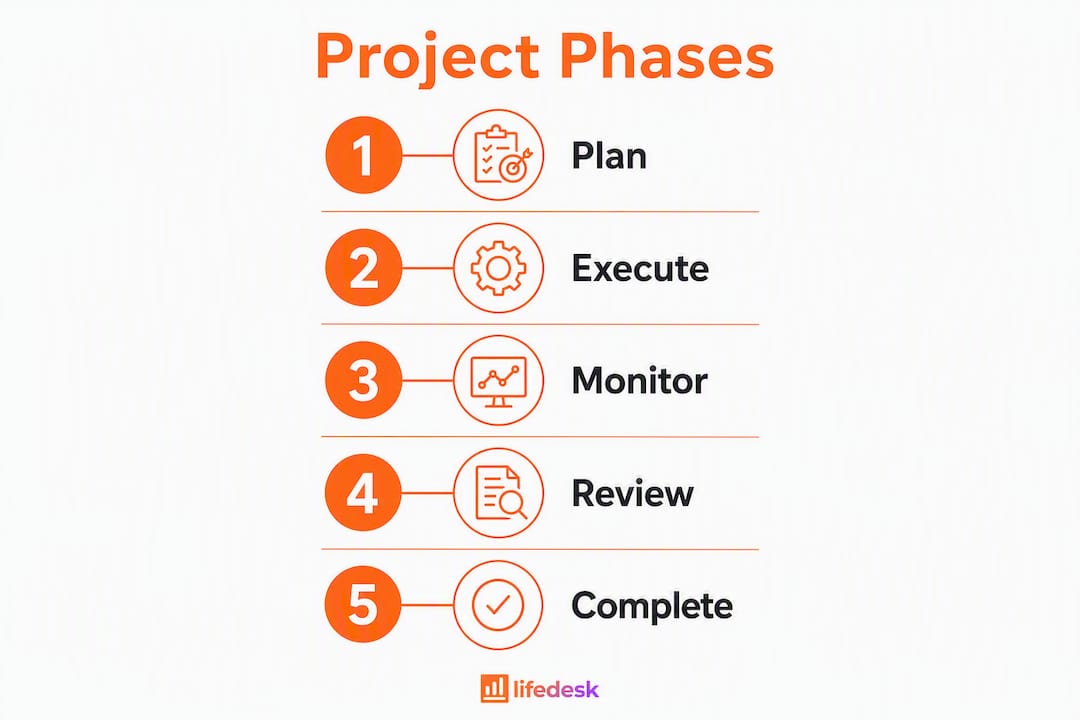
For structuring a single project, break it into 3–5 phases with clear milestone names. A simple client project might run: Scope → Draft → Review → Deliver → Close. Under each phase, list tasks sized to fit within one work session (roughly 90–120 minutes). If a task feels bigger than that, split it. Conservative estimates beat optimistic ones every time.
Pro Tip: Avoid building automations until you’ve run the manual version for at least four weeks. Most solopreneurs over-engineer their setup before they understand what they actually need, then spend more time maintaining the system than doing billable work.
How do you choose the right project management setup for a one-person business?
The right setup is the one with the lowest friction to maintain. Here’s a checklist to run before committing to any tool or workflow.
Minimum criteria:
- Single source of truth. Can all your projects, tasks, and notes live here without needing a second app?
- Fast capture. Can you add a task in under 10 seconds from your phone?
- Low maintenance. Will the system stay current if you only touch it for 20–30 minutes a week?
- Mobile access. You’ll have ideas away from your desk. The tool needs a real mobile app, not a browser workaround.
- Optional time tracking. Not everyone needs it, but if you bill by the hour or want to understand where your time goes, it should be built in rather than bolted on.
- Price sensitivity. Free tiers work for basic setups. Paid plans (typically $8–$20/month for solo tiers) make sense when you need integrations, AI features, or bank account connections.
Practical questions to ask when testing a tool:
- How fast is task capture? Time yourself adding three tasks from your phone.
- Can you filter to see only this week’s work without building a custom view?
- How hard is data export? You should be able to leave any tool without losing your work.
- Does the interface feel calm or cluttered when you open it at 8 AM?
- Are there team-first features (multi-assignee flows, sprint planning, approval chains) you’ll never use but will have to scroll past every day?
Setup time and pricing tradeoffs:
A quick-start setup, where you create a few projects and import your current task list, takes 30–90 minutes. A deeper build with templates, recurring tasks, and client records takes 3–8 hours spread over a week. Budget that time before you start, or you’ll abandon the setup halfway through.

On pricing: a free plan covers the basics for most solopreneurs starting out. Upgrade when you need bank account integration, an AI assistant, or higher storage limits. Don’t pay for features you haven’t used yet.
Blank canvas vs. opinionated structure: Flexible tools (blank-canvas workspaces) suit solopreneurs who have established workflows and know exactly what they need. Opinionated tools with clear lifecycle stages (Validate → Build → Ship) work better for people who struggle with decision fatigue or tend to let projects drift. If you’ve tried a flexible tool and your backlog keeps growing without resolution, switch to something with enforced stages.
What reusable templates can solopreneurs copy right now?
Three templates cover most solo work. Copy them, adapt the field names, and you’re done.
Template 1: one-page project plan
| Field | Example |
|---|
| Project name | Website redesign |
| SMART goal | Launch updated site with 3 new service pages |
| Phases | Scope / Design / Build / Review / Launch |
| Key milestones | Wireframes approved, copy finalized, staging review |
| Time estimate | 16 hours total across 4 weeks |
| Client contact | Weekly Friday update via email |
Template 2: weekly planning template
Monday morning, 15 minutes:
- Review last week: what’s done, what slipped, what to delete.
- Check all project deadlines in the next 14 days.
- Set top 3 priorities for each day this week.
- Block deep-work time on your calendar.
- Note any client communication due this week.
Template 3: client work checklist
- Scope confirmed in writing
- Kickoff call or brief received
- First milestone deadline set
- Mid-project check-in scheduled
- Deliverable sent for review
- Feedback incorporated
- Final delivery confirmed
- Invoice sent
- Project closed and archived
Sample project plan for a solo 4–6 week engagement:
- Week 1 (Scope): Define deliverables, confirm timeline, set SMART goal. Estimated: 3 hours.
- Week 2 (Draft): First version of core deliverable. Estimated: 6 hours.
- Week 3 (Review): Client feedback round, revisions. Estimated: 3 hours.
- Week 4 (Deliver): Final version, handoff, invoice. Estimated: 2 hours.
- Week 5–6 (Buffer): Scope creep, extra revisions, admin. Estimated: 2 hours.
Scale down for one-off tasks (skip phases 2–3, collapse to a single checklist). Scale up for product builds by adding a Validate phase before Draft and a Ship phase after Deliver.
Pro Tip: Keep templates to one page or one screen. A template you have to scroll through is a template you’ll stop using. Delete any field you haven’t filled in after three projects.
How do you set up LifeDesk for solo project management?
LifeDesk’s value for a solopreneur is consolidation: tasks, goals, and business projects sit alongside your calendar, client records, and finances in one app. You’re not managing a project tool and a notes app and a CRM separately. That context switching is where most solo projects lose time.
Here’s a starter setup you can complete in 60–90 minutes:
Create your workspace skeleton. Set up three to five project spaces matching your current active work (e.g., Client Work, Product, Admin, Personal). Don’t create more than you have active projects right now.
Import your task list. Dump every open task you can think of into the Inbox. Don’t organize yet. Capture first.
Set task properties. For each task, assign: project, due date, and a rough time estimate. Skip custom fields until you’ve used the defaults for a month.
Configure the weekly view. Set your default view to show only tasks due this week. This is the view you’ll open every Monday morning.
Connect time tracking. If you bill by the hour, activate the built-in time tracker and log time directly against tasks. No separate app needed.
Add your active clients. Use LifeDesk’s client management feature to store contact details, project associations, and communication notes. One record per client, linked to their active project.
Mapping the sample project plan into LifeDesk:
- Project name field → LifeDesk project title
- Phases → LifeDesk project stages or task sections
- Milestones → tasks with due dates and a “milestone” tag
- Time estimate → task time estimate field
- Client contact → client record linked to the project
LifeDesk runs on web, iOS, and Android, so your project data is available wherever you’re working. The business tasks and goals features let you tie daily tasks directly to longer-term objectives, which closes the gap between “what I’m doing today” and “where the business is going.”
Pro Tip: On day one, only set up what you need this week. A half-built system you actually use beats a perfect system you built once and never opened again.

Client communication is where solo projects most often go sideways. Not because of bad work, but because of silence at the wrong moment. A few structural habits fix most of it.
Set communication cadence at kickoff. Agree upfront on how often you’ll update the client and through which channel. Weekly email updates work for most projects. Add the update as a recurring task in your project so it never gets skipped.
Use your project record as the communication log. After every client call or email exchange, add a one-line note to the project record: date, what was discussed, any decisions made. This takes 90 seconds and saves hours of “wait, what did we agree on?” later.
Send progress updates before clients ask for them. A brief Friday email (“Here’s where we are, here’s what’s next”) prevents the anxious check-in that interrupts your Monday deep work. Link it to your weekly review so it’s part of the same 30-minute block.
LifeDesk’s client management CRM keeps contact details, notes, and project links in one record. You’re not digging through email threads to find what a client approved three weeks ago.
When a client requests a change mid-project: log it as a new task immediately, flag it for your next weekly review, and send a one-line acknowledgment. Don’t promise a timeline until you’ve checked your current workload. Scope creep usually starts with a verbal “sure, no problem” before you’ve looked at your calendar.
Key Takeaways
Solopreneurs who consolidate tasks, projects, notes, and client records into one workspace and run a short weekly review lose fewer deadlines and spend less time managing their system.
| Point | Details |
|---|
| One workspace wins | Consolidating everything into a single tool removes context switching and reduces lost tasks. |
| Daily top-3 rule | Identify three tasks each morning that move the business forward; skip the full backlog. |
| Weekly review cadence | A short weekly session to prune and prioritize keeps the system current without becoming a second job. |
| Templates stay lean | One-page project plans and single-screen checklists get used; complex templates get abandoned. |
| LifeDesk as single home | LifeDesk centralizes projects, tasks, goals, time tracking, and client records in one app for web, iOS, and Android. |
LifeDesk gives solopreneurs one place to run everything
Running a business alone means every tool you add is another thing you have to maintain. LifeDesk is built around the opposite idea: fewer apps, one workspace, everything connected. Your projects sit next to your tasks, your client records, your calendar, and your finances. When you finish a deep-work block, you’re not switching between four tabs to log what you did.

The free plan covers projects, tasks, and goals. Upgrade to Plus or Pro when you need bank account integration, the AI assistant, or higher storage. Setup takes 60–90 minutes for a working system. Start with the project management features, add your active clients, and run the weekly review template for two weeks before changing anything. That’s enough to know whether it fits.
See everything LifeDesk includes and start with the free plan today.
Useful sources and further reading
- LifeDesk project management features: The direct product page for LifeDesk’s project tools. Start here to see how projects, phases, and tasks are structured before you set up your workspace.
- LifeDesk business tasks and goals: Explains how to align daily tasks with longer-term business objectives. Useful for setting up SMART goal tracking alongside your projects.
- LifeDesk time tracker: Built-in time tracking for freelancers. Use this if you bill by the hour or want to understand where your working hours actually go.
- LifeDesk client management CRM: Covers how to store client records, link them to projects, and log communication notes. Replaces a separate CRM for most solo businesses.
- LifeDesk pricing: Free, Plus, and Pro plan details. Check this before deciding whether to start on the free tier or go straight to a paid plan.
- Project management for solo entrepreneurs (Solopreneurship.eu): A practical overview of lean solo systems, covering fast capture, weekly reviews, and daily focus habits. Good background reading before you configure your workspace.
- LifeDesk platform overview: The main landing page for a full picture of what LifeDesk covers beyond projects, including health, finance, and personal planning.
FAQ
What is the simplest project management system for a solopreneur?
A daily top-3 task list, a short weekly review, and one workspace that holds all your projects and notes. That three-part system handles most solo businesses without any complex tooling.
How long does it take to set up a solo project management system?
A basic working setup takes 30–90 minutes. A fuller build with templates, recurring tasks, and client records takes 3–8 hours spread across a week.
Does LifeDesk work for one-person businesses?
Yes. LifeDesk is designed for freelancers and solopreneurs who need tasks, projects, goals, time tracking, and client management in one app, available on web, iOS, and Android.
How do you avoid scope creep when working alone?
Log every client change request as a new task immediately, review it against your current workload before committing, and use a written project plan with defined phases so both you and the client have a shared reference point.
Switch when tasks, notes, and deadlines are scattered across multiple apps and deadlines are slipping. If your current tool is working, stay with it. Unnecessary migrations cost more time than they save.
Recommended