Project and client management work best as two linked systems, not one blurred job. Delivery lives on scope, schedule, and resourcing; the relationship lives on trust, expectations, and retention. Agencies that connect them, with a shared client record and a fixed...
Calendar task integration turns your to-do list into scheduled, time-bound calendar blocks so work actually gets done instead of piling up unseen. The fastest path is either a native tasks layer inside your calendar app or an OAuth-based connector syncing a separate...
Quarterly planning means running your business goals on a 90-day cycle instead of a single annual push, reviewing progress and adjusting course every quarter. The practical version that works best: pick a few measurable priorities, assign a clear owner to each, set...
Most people don’t need one framework. They need three, stacked by time horizon: a long-range direction setter like a BHAG or OGSM, a quarterly execution engine like OKRs, and SMART criteria to keep the resulting key results honest and measurable. Skip the strategic...
The PARA method sorts every file, note, and task you own into four folders (Projects, Areas, Resources, Archives) based on how soon you need to act on it. The main payoff is speed: you stop hunting through nested folders and start finding what you need in seconds,...
The best prioritization frameworks for anyone juggling client work, personal goals, and everything in between are the Eisenhower Matrix, the Pareto principle (80/20), the 1-3-5 Rule, time blocking, and a weekly review. Pick one today: schedule a 90-minute protected...
The fastest way to turn emails into tasks is to use your inbox’s built-in conversion feature (Outlook’s drag-to-Tasks or Gmail’s Tasks panel) for one-off items, and automation rules for anything that repeats. Manual capture works fine at low volume; once the same type...
A hobby project planner is a tool, template, or notebook system that helps you capture ideas and, more importantly, always know your single next physical action. Right now, pick one tool, however basic, and write down the very next step for your current project....
AI agents reclaim your schedule by auto-scheduling tasks, defending focus blocks, and resolving conflicts before you even notice them, but only when you keep human-in-the-loop controls turned on. The strongest results come from task-first tools that unify your to-do...
AI goal planning converts a single sentence of intent, like “I want to get fit” or “I want a promotion,” into a measurable SMART goal with milestones, weekly tasks, and deadlines already attached. Within minutes, you get a concrete plan for the next seven days plus...
Best Clockify Alternatives in 2026: Free and Paid Options
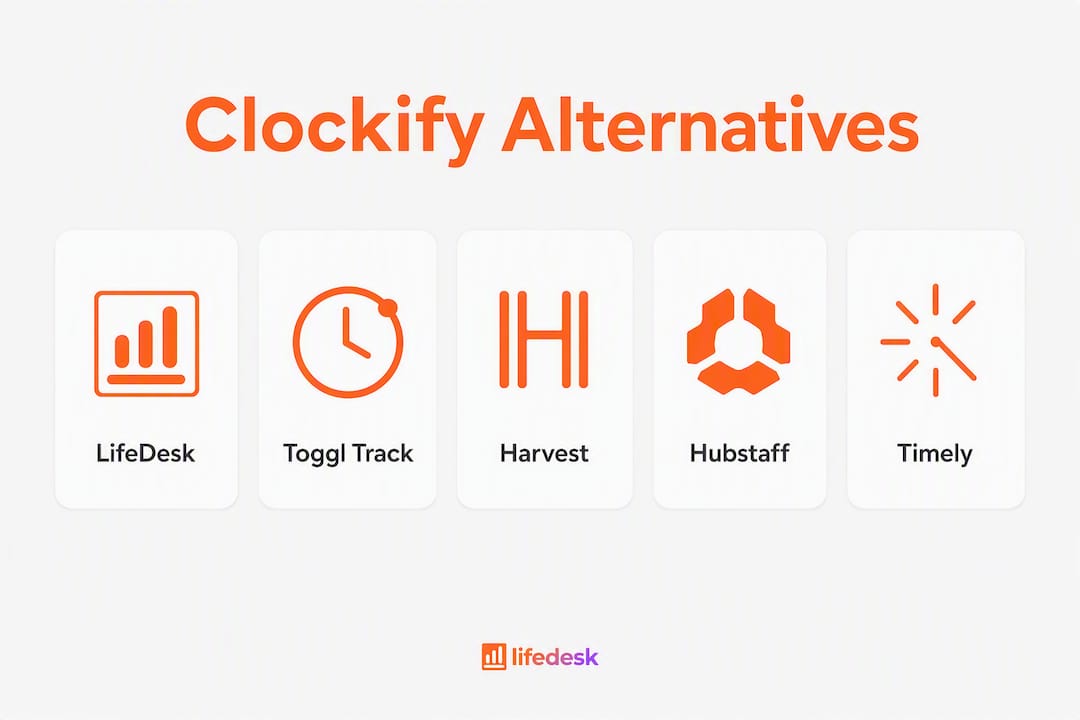
If you want one app that handles time tracking alongside invoicing, project management, and personal productivity, LifeDesk’s time tracker is the strongest all-in-one pick for freelancers and hybrid life/work users. For teams with narrower needs, here is where the shortlist lands:
Best all-in-one (freelancers/solopreneurs): LifeDesk — combines timers, project tracking, finance, and life management in one app
Best for client invoicing: Harvest — invoicing built directly into the timer workflow
Best for privacy and clean UX: Toggl Track — no screenshots, no forced monitoring, designed to be pleasant to use
Best for passive/automated tracking: Timely — AI-driven time capture that runs in the background
Best for payroll and scheduling: Hubstaff — GPS, payroll integrations, and shift management in one platform
Best free option for teams: Jibble or MyHours — both offer unlimited users on free tiers with solid core tracking
Before committing to any of these, run a two-week pilot using real client projects. Test the export function on day one, not day thirteen.
The table below covers the 12 most-compared apps like Clockify across the dimensions that actually drive switching decisions: free plan limits, paid pricing, key features, integrations, platform support, and privacy posture.
Tool
Best For
Free Plan
Paid From
Key Features
Integrations
Platforms
Privacy/Monitoring
LifeDesk
Freelancers, solopreneurs
Yes (basic)
Paid Plus/Pro tiers
Manual timer, project tracking, invoicing, finance, AI assistant
Calendar, finance, tasks
Web, iOS, Android
No screenshots; trust-based
Toggl Track
Small teams, privacy-first
Up to 5 users
~$9/user/mo
Manual timer, reporting, project tags
100+ apps, Asana, Jira
Web, desktop, iOS, Android
No monitoring
Harvest
Client billing, invoicing
1 seat, 2 projects
$12/user/mo
Timer, invoicing, expense tracking
QuickBooks, Xero, Asana
Web, desktop, iOS, Android
No monitoring
Timely
Automated/passive tracking
Trial only
~$9/user/mo
AI memory tracker, auto-categorization
Asana, Jira, Salesforce
Web, iOS, Android
App-level tracking; no screenshots
TimeCamp
Budget teams, billing
Unlimited users
~$2.99/user/mo
Auto-tracking, invoicing, attendance
100+ integrations
Web, desktop, iOS, Android
Optional screenshots
Hubstaff
Payroll, remote teams
1 user
$7/user/mo
GPS, screenshots, payroll, scheduling
QuickBooks, Gusto, Jira
Web, desktop, iOS, Android
Screenshots, activity monitoring
Everhour
PM-integrated tracking
No free plan
$8.50/user/mo
Budget tracking, invoicing, estimates
Asana, Trello, GitHub
Web, iOS
No monitoring
Jibble
Free team tracking
Unlimited users
$2.49/user/mo
Face recognition, GPS, attendance
Slack, Zapier
Web, iOS, Android
Optional face ID
RescueTime
Individual focus/productivity
Yes (limited)
$12/mo
Passive tracking, focus sessions, goals
Slack, Google Calendar
Web, desktop, iOS, Android
App/site tracking only
ClickUp
PM + time tracking combo
Unlimited users
$7/user/mo
Tasks, docs, goals, time tracking
1,000+ integrations
Web, desktop, iOS, Android
No monitoring
MyHours
Freelancers, small teams
Unlimited users
$9/user/mo
Timers, invoicing, reporting
QuickBooks, Zapier
Web, iOS, Android
No monitoring
Beebole
Enterprise reporting
No free plan
$6.99/user/mo
DCAA compliance, custom reports, budgets
Google Workspace, Slack
Web, iOS, Android
No monitoring
Pricing notes worth knowing:
Free tiers that cap users (Toggl Track at 5, Harvest at 1 seat) become expensive fast for growing teams. Jibble and ClickUp offer genuinely unlimited free users, though feature gates apply.
Hubstaff’s screenshot and GPS features are opt-in per project, but they exist in the product. If your team culture runs on trust, that default availability can create friction even when disabled.
Timely has no permanent free plan. The trial is generous, but budget for paid seats from day one.
Export restrictions are the most common hidden upgrade trigger. Always test CSV and JSON export on the free tier before committing.
Why are teams switching away from Clockify?
The short answer: Clockify moved features behind paid tiers, tightened API limits, and the free plan that once felt unlimited now has real constraints. For many teams, the value proposition shifted.
The kiosk feature, once available on the free plan, now requires a paid subscription. Billable rate management, a core need for any freelancer tracking client hours, is similarly gated. API and webhook usage caps mean that teams running automated workflows hit walls they did not expect. None of these changes are unusual for a maturing SaaS product, but they caught users off guard because Clockify built its reputation specifically on being free and full-featured.
Privacy is the second driver. Clockify’s monitoring features, including screenshots and activity tracking, are available on paid tiers. For teams that never wanted surveillance-style tracking, finding those features in the product at all creates a culture mismatch. Surveillance fatigue is a real attrition risk: when employees feel monitored rather than trusted, morale drops even when the features are technically optional.
Reporting is the third friction point. Clockify’s built-in reports cover the basics, but teams that need custom dashboards, budget burn tracking, or client-facing summaries often find themselves exporting to spreadsheets and rebuilding the analysis manually.
Stay on Clockify if…
Switch if…
Your team is under 5 users and uses manual timers only
You need billable rates or kiosk on a free plan
You need basic time logging with no billing workflow
You run automated workflows that depend on API access
Reporting exports to CSV are sufficient
Your team has privacy concerns about monitoring features
You are already on a paid plan and satisfied
You need invoicing, payroll, or passive tracking built in
How do you choose the right Clockify alternative?
Start with one question: what is the single thing Clockify cannot do for you right now? Payroll integration, client invoicing, passive tracking, and privacy controls are four different problems that point to four different categories of tools. Picking the right alternative means matching your primary need first, then checking that the rest of the feature set does not create new problems.
Evaluation checklist:
Core feature fit: does the tool handle your primary use case natively (invoicing, payroll, passive capture, project budgets)?
Integration depth: does it connect to the PM and accounting tools your team already uses (Asana, QuickBooks, Xero, Jira)?
Reporting: can you generate client-ready reports without exporting to a spreadsheet?
Mobile and offline: does the mobile app work without a connection and sync reliably when back online?
Admin controls: can you set permissions, lock timesheets, and manage team access without a support ticket?
Privacy and monitoring: are screenshots and activity logging off by default, or do you have to actively disable them?
Export and data portability: can you export your full project/task hierarchy as CSV or JSON on the free tier?
Historical data migration: does the vendor provide an import tool, or will you rebuild manually?
Questions to ask vendors before signing:
Can I export my full project and task hierarchy, including archived entries, as CSV or JSON?
Are API calls and webhooks rate-limited on the plan I am considering, and what are the exact limits?
Are screenshots and activity monitoring off by default, and can admins disable them permanently?
What does the onboarding process look like for a team migrating from Clockify?
If I downgrade or cancel, how long do I retain access to my historical data?
A vendor that cannot answer questions 1 and 5 clearly is a red flag. Data portability is not a nice-to-have; it is the exit clause in your relationship with any SaaS tool.
Red flags during trials:
Export is locked behind a paid tier or limited to a date range shorter than your billing history
Per-user fees are not visible until checkout (seat minimums, annual-only pricing)
Monitoring features are on by default and require admin action to disable
The import tool only accepts the vendor’s own export format, not Clockify’s CSV
Pricing framework: compare tools on total cost per user per year, not monthly sticker price. A $7/user/month tool with a 5-seat minimum billed annually costs $420 before you add any integrations or support. Factor in migration admin time, which for a 10-person team moving 12 months of project data can run several days of work.
Pro Tip:Before you migrate, audit your current project taxonomy in Clockify. Export everything, then map your project/client/task hierarchy to the new tool’s structure on paper. Teams that skip this step often spend more time rebuilding labels than they saved by switching.
Which tool is right for your team? Per-option notes
LifeDesk: best all-in-one for freelancers and hybrid users
LifeDesk is not a pure time tracker. It is an all-in-one life and business management platform where time tracking for freelancers sits alongside project management, invoicing, finance with real bank account integration, health, fitness, and goal tracking. For a freelancer or solopreneur who currently juggles Clockify, a separate invoicing tool, a task manager, and a notes app, LifeDesk replaces the stack.
The time tracker supports manual entry and quick-start timers, works on web, iOS, and Android, and connects to LifeDesk’s project management features so hours log directly against client projects. There are no screenshots and no activity monitoring. The free tier covers basic tracking; the Plus and Pro plans unlock bank connections, higher limits, and the built-in AI assistant for automated categorization and productivity insights.
Migration from Clockify is straightforward for users with simple project structures. The main limitation to know upfront: LifeDesk is built for individuals and small teams, not for enterprises that need complex payroll workflows or DCAA compliance.
UI-first trackers (Toggl Track)
Toggl Track earns its reputation on simplicity. The one-click timer, clean dashboard, and no-monitoring policy make it the go-to for teams that want tracking without overhead. G2 reviewers consistently highlight the interface as one of the cleanest in the category. The free plan covers a small number of users with unlimited projects, which is genuinely useful for small agencies. Paid plans start at a monthly fee per user and add billable rates, required fields, and time audits. The main limitation: invoicing is not native. You export and bill elsewhere.
Invoicing-focused trackers (Harvest)
Harvest is what you use when the timer and the invoice need to live in the same place. You log hours, mark them billable, and send an invoice without touching a second app. Capterra reviewers note the QuickBooks and Xero integrations as particularly reliable. The free plan is limited to one seat and two active projects, which makes it a solo-freelancer tool at the free tier. Teams pay a monthly fee per user. No monitoring features, solid mobile apps, and the expense tracking is a genuine bonus for consultants who bill reimbursables.
Payroll and scheduling platforms (Hubstaff)
Hubstaff is the right call when you need GPS tracking, shift scheduling, and payroll in one place. It integrates with Gusto and QuickBooks for payroll processing, which removes a manual step that costs hours every pay period. The monitoring features (screenshots, activity rates, app tracking) are the trade-off. They are configurable, but they exist, and some team cultures will reject the tool on that basis alone. Free plan covers one user only; paid plans start at a monthly fee per user.
Passive and AI-driven trackers (Timely)
Timely runs in the background and builds a timeline of your day from app usage, calendar events, and documents. You review and assign time rather than starting and stopping timers. The accuracy is good for knowledge workers with predictable app patterns, but the initial setup of classification rules takes real effort. Passive tracking reduces manual start/stop errors, though it transfers complexity to configuration and ongoing rule maintenance. No permanent free plan; budget for paid seats from the start.
Budget and free-tier trackers (Jibble, MyHours)
Jibble offers unlimited users on its free plan with GPS and face recognition for attendance, which makes it popular for field teams and retail. MyHours takes a cleaner approach: unlimited users, manual timers, invoicing, and reporting at no cost, with a paid tier at $9/user/month that adds advanced reports and QuickBooks sync. Capterra reviews for MyHours highlight the simplicity as a strength for small teams that do not need automation.
ClickUp bundles time tracking inside a full project management suite. If your team already lives in ClickUp for tasks and docs, the native time tracker removes the need for a separate tool entirely. The free plan is generous on users but limits some reporting features. Everhour takes the opposite approach: it embeds into tools you already use (Asana, Trello, GitHub) rather than replacing them. No free plan, but the $8.50/user/month price point is reasonable for teams that want budget tracking and estimates alongside their existing PM setup.
Enterprise reporting (Beebole)
Beebole targets organizations that need DCAA compliance, custom report builders, and budget tracking at scale. No free plan, $6.99/user/month, and the Google Workspace integration is tight. It is overkill for a 5-person agency but genuinely useful for government contractors or professional services firms with audit requirements.
Individual focus and productivity (RescueTime, TimeCamp)
RescueTime runs passively and scores your day against focus goals. It is less about billing and more about personal productivity awareness. The free tier is limited; the $12/month paid plan adds focus sessions and detailed reports. TimeCamp sits between passive and manual: it auto-tracks app usage and maps it to projects, with optional screenshots and an invoicing module. Capterra reviewers note the breadth of integrations (over 100) as a standout. Paid plans start at a low monthly fee per user/month, making it one of the most affordable full-featured options in the category.
Pro Tip:For distributed teams juggling multiple time zones, pairing your time tracker with a scheduling tool like TimeTamer prevents the meeting-overlap problems that make time logs unreliable.
How we tested and ranked these alternatives
Every tool in this article was evaluated through a hands-on trial, a feature matrix check, a privacy policy review, and direct pricing verification against each vendor’s current pricing page.
Ease of use: timed the first timer start from account creation; noted friction points in onboarding
Reporting and analytics: tested export to CSV and PDF; checked whether advanced reports required a paid upgrade
Billing and invoicing: created a test invoice from logged hours; verified QuickBooks and Xero connection where claimed
Integrations: tested API connection with Asana and a calendar tool; checked webhook rate limits on free and entry-level paid tiers
Privacy controls: reviewed the privacy policy for data retention, screenshot storage, and third-party sharing; checked whether monitoring features were on or off by default
Mobile and offline: logged time without a connection on iOS; verified sync behavior on reconnect
Support and onboarding: submitted a test support ticket; measured first response time and checked whether import tools were documented
The time tracking market spans multiple distinct buyer categories, and the right tool depends entirely on which friction point a team is solving. A tool that scores well for a freelancer billing clients may score poorly for a remote team that needs GPS and payroll. Ratings in this article reflect fit within each category, not a universal ranking.
Last updated: June 2026.
Statistic callout: The time tracking software market spans distinct buyer segments — UI-focused, invoicing-focused, payroll/scheduling, passive/AI, and budget-tier — and the best alternative for any team is determined by which of these categories matches their primary need, not by feature count alone.
Key Takeaways
The strongest Clockify alternative is the one that solves your specific friction point: invoicing, payroll, passive tracking, privacy, or all-in-one life and business management.
Point
Details
Match tool to primary need
Identify whether your core gap is invoicing, payroll, passive tracking, or privacy before evaluating options.
Free plan limits vary widely
Jibble and ClickUp offer unlimited free users; Harvest caps at one seat and two projects on its free tier.
Export on day one
Always test CSV and full data export during the free trial, not after you have committed to a paid plan.
Migration costs are real
Mapping historical project hierarchies to a new tool takes significant time; audit your taxonomy before switching.
LifeDesk for all-in-one needs
Freelancers and solopreneurs who want time tracking, invoicing, project management, and personal goals in one app should trial LifeDesk.
LifeDesk covers time tracking and everything around it
Most time tracking tools solve one problem well and leave you managing the rest in separate apps. LifeDesk takes a different route: it combines a full-featured time tracker with project management, client invoicing, personal finance with real bank connections, health and fitness tracking, and an AI productivity assistant, all in a single web, iOS, and Android app.
For a freelancer or solopreneur, that means logging billable hours, generating an invoice, checking project budgets, and reviewing your week’s goals without leaving the platform. The free plan covers basic time tracking and task management. The Plus and Pro tiers unlock bank account integrations, higher project limits, and the AI assistant that handles automated categorization and productivity insights.
Migration from Clockify is practical for individuals and small teams. Export your Clockify data as CSV, map your project and client structure to LifeDesk’s project hierarchy, and you are running in a day. The LifeDesk quick tools page is the right starting point: the time tracker is live immediately, no configuration required.
If you have been managing your work in Clockify and your life in three other apps, LifeDesk is worth a serious look. Start with the free plan and run a two-week pilot on a real client project.
Where to verify current pricing and privacy policies
Pricing and feature sets in this category change frequently. Before migrating, verify the following directly on each vendor’s site:
Free-tier caps: confirm current user limits, project limits, and any date-range restrictions on exports
API and webhook limits: check the developer docs or pricing FAQ for rate limits on your target plan
Export formats: confirm the tool exports in CSV, JSON, or a format your next tool can import
Privacy and monitoring settings: read the privacy policy for data retention periods, screenshot storage location, and whether monitoring is on or off by default
Support SLAs: check whether live chat or onboarding sessions are included on your plan or cost extra
Changelog: review the product changelog for recent feature removals or plan restructuring before committing
Authoritative sources to check directly:
Toggl Track reviews on G2 and Capterra for current user sentiment
Harvest reviews on G2 and Capterra for invoicing reliability notes
TimeCamp on G2 for integration breadth feedback
Each vendor’s own pricing page and privacy policy (linked from their main site footer)
Last checked: June 2026. Re-run these checks before migration, especially for free-tier limits and API documentation, which change without announcement.
FAQ
Is Toggl Track or Clockify better?
Toggl Track wins on interface simplicity and privacy; Clockify wins on raw feature depth at the free tier, though recent plan changes have narrowed that gap. For teams that prioritize a clean experience and no monitoring features, Toggl Track is the stronger choice.
What are the main disadvantages of Clockify?
The most common complaints are billable rates and kiosk features moving behind paid tiers, API and webhook rate limits on free plans, and limited native invoicing. Teams that need client billing or automated workflows often hit these walls faster than expected.
What is the best free timesheet app for teams?
Jibble and MyHours both offer free plans that allow many users with solid core tracking. ClickUp also allows many users with time tracking included, though its reporting features are more limited at the free tier.
Does Clockify still have a free version?
Yes, Clockify maintains a free plan, but it no longer includes features like billable rates, kiosk mode, or unlimited API access that were previously available without payment. Teams relying on those features need a paid plan.
Can LifeDesk replace Clockify for a freelancer?
For most freelancers, yes. LifeDesk’s time tracker handles manual timers and project-level tracking, and the platform adds invoicing, finance, and goal management that Clockify does not cover natively. The free tier covers basic use; the paid tiers unlock bank connections and the AI assistant.