A client retention plan is a short set of repeatable habits for every stage of a client relationship, from the first welcome message to the follow-up after the project ends. For a freelancer, the plan that works is the one you can run in about 20 minutes a week: one...
A good color-coded calendar uses three to five colors, gives each color one meaning, and keeps those colors identical on every device. If you can look at your week for three seconds and see where work, personal time, deadlines and focus blocks sit, the system is...
Yes, AI can take your meeting notes. It records or listens to the call, turns speech into a transcript, and has a language model write a summary and a list of action items. The tools are the easy part. What decides whether AI meeting notes help you is what happens...
A CRM with a calendar puts your client records, meetings, tasks and follow-ups in one place, so every call you schedule is tied to the person and the deal behind it. For a freelancer or solo business owner, the best choice is the one that shows your client work next...
AI can turn your income, bills and goals into a working monthly budget in minutes. It can also categorize spending, explain budgeting methods and test “what if” scenarios. It works best when you give it real numbers, tell it which method to use, and check the output...
A recurring task is any piece of work that comes back on a pattern: the weekly invoice run, the Tuesday workout, the monthly tax set-aside, a client’s birthday. The best way to manage them is to decide two things for each one: what triggers the next copy (the calendar...
A life operating system (often shortened to Life OS) is one connected setup where your goals, projects, tasks, calendar, notes, money and habits live together and inform each other. A to-do list only stores actions. A life OS also tells you why those actions matter...
The most reliable way to plan work and personal life together is to stop splitting them. Write every commitment into one inventory, put it on one calendar, rank it by importance and urgency, give it a block of time, and review the plan weekly. The rest of this guide...
A calendar time audit is a review of what your calendar says you did over the past few weeks, set against what you say matters. You export or scroll back through four to eight weeks, sort every block into a handful of categories, add up the hours, and compare the...
TL;DR A goal only becomes real when it has a date, a duration and a place on the calendar. Recurring blocks are one of the simplest ways to do this. Structure goals in layers: one or two main missions, projects that act as milestones, and daily actions. Plan, then...
Task Dependencies: Types, Examples and How to Use Them Solo
A task dependency is a link between two tasks: one cannot start or finish until the other has started or finished. For a freelancer or solo business owner, the useful version is simple. Know which task is waiting on which, put the blocking task first in your calendar, and ignore the formal notation until a project is large enough to need it. This guide explains the four dependency types, lead and lag, and how to keep dependencies visible without turning your to-do list into a project-management chart.
LifeDesk
Keep Blocking Tasks in View
LifeDesk brings tasks, goals, calendars, and business organization together, helping you keep solo work and its dependencies organized in one place.
A dependency means task B is waiting on task A. The most common kind is finish-to-start (FS): A must finish before B can begin.
The four types are FS, SS (start-to-start), FF (finish-to-finish) and SF (start-to-finish). In practice, FS and SS cover almost everything you will meet.
Lag is a forced wait between two tasks. Lead is an overlap. Both change your deadline math more than most people expect.
Solo, you only need to track the dependencies that can block you: client approvals, deliveries, payments and tasks that feed other tasks.
Keep tasks, calendar, projects and client work in one place, so the blocking task is always the one you see first.
Every piece of work has an order. You cannot send an invoice before the work is done, publish a page before the copy is approved, or file taxes before the bookkeeping is reconciled. A dependency writes that order down. The task that has to happen first is the predecessor. The task that waits is the successor.
The PMBOK Guide, the long-standing project management standard, sorts dependencies by where the rule comes from:
Mandatory dependencies come from the nature of the work itself, often a physical limit. A foundation must be built before the walls. This is also called hard logic.
Discretionary dependencies are chosen by the team based on best practice. The guide says they should be used with care and fully documented, because they limit your options later.
External dependencies involve something outside the project, such as a hardware delivery or an official hearing.
This split is more useful to a solo worker than the technical types. Ask of every link: is it truly forced, did I choose it, or does it depend on someone else? The answer tells you how much control you have. A forced link is a fact. A chosen link can be rearranged. An external link is a risk you should plan around, because you cannot speed it up yourself.
The four types of task dependencies
The four types describe which end of each task is connected. “Start” and “finish” refer to the predecessor first and the successor second.
Type
Short form
Meaning
Everyday example
Finish-to-start
FS
B cannot start until A finishes
Finish the draft, then send it to the client
Start-to-start
SS
B cannot start until A has started
Start recording the podcast, then start editing the first segments
Finish-to-finish
FF
B cannot finish until A finishes
The proofread cannot be done until the final edit is done
Start-to-finish
SF
B cannot finish until A starts
The old process keeps running until the new one starts
Finish-to-start (FS)
This is the default and the one you use without noticing. Project engineer Bernie Roseke notes that finish-to-start is the most common dependency, and that in the absence of other criteria all tasks could use it and still produce a functioning schedule. If you are unsure which type applies, FS is almost always right.
Typical solo examples: you cannot invoice before the deliverable is accepted. You cannot book a shoot before the location is confirmed. You cannot pay a contractor before you have received their invoice.
Start-to-start (SS)
Here the second task can begin as soon as the first one has begun, so the two overlap. The Center for Project Innovation gives a clear case: you cannot proofread a business case until writing has begun, but you do not have to wait for the whole report to be written. Proofreading the first chapter can start while you write the third.
SS is how a one-person business saves time without hiring help. Whenever a task has a natural first slice, ask whether the next task can start on that slice.
Finish-to-finish (FF)
FF means the two tasks can run in parallel but must end together, or the second cannot end before the first does. A website copy edit and the final layout check might run side by side, but the layout check cannot be signed off until the last copy change is in.
Start-to-finish (SF)
SF is the rare one. Roseke describes it with a logistics case: transportation of materials cannot finish until overnight security starts. The handover logic is the same in everyday work: the outgoing arrangement cannot end until the new one has begun. Think of a freelance retainer: you keep covering a client’s inbox until their new hire starts.
The Center for Project Innovation points out that although four types exist in theory, schedulers really work with just two, FS and SS. That is a comfortable fact for a solo worker. Learn those two and you have most of what matters.
Lead and lag: the waiting and the overlap
Dependencies rarely mean “immediately after”. Two ideas handle the gap between tasks.
Lag is a delay you must build in. Projectengineer.net’s example: framing cannot begin until the concrete foundation has cured for 10 days, so the link is finish-to-start with a 10-day lag. A university project management text gives a smaller one: plastered walls need two days to dry before painting.
Lead is the opposite: the successor starts before the predecessor is done. The same text describes starting design before stakeholder interviews are complete, when half the stakeholder groups are the key ones.
The shorthand is compact. According to the Center for Project Innovation, if task A leads task B by three days, the link is written FS+3, and an SS link with five days is written SS+5. You will see this in project software, but you never need to write it. What matters is the habit behind it: when you plan a sequence, put the waiting time in the plan.
Where lag hides in freelance work
Most solo schedules are wrecked by lag that nobody wrote down:
A client takes three business days to review a draft.
A payment takes several days to clear after you send the invoice.
A platform needs time to approve your listing or ad.
A printer, supplier or developer needs a fixed turnaround.
A planning approach from scheduling training provider National Training recommends showing lags separately rather than hiding them inside long task durations, because inflated durations make estimates less trustworthy. Applied to your own week: do not write “Website copy, 5 days” when the real plan is two days of writing, three days of client review, then one day of revisions. Three entries tell you where you are free and where you are waiting.
The same source advises using leads only when the unfinished work is unlikely to change, you understand the risk, the rework cost is acceptable and the overlap saves meaningful time. Starting the layout before the copy is approved is a lead. It can save a week. It can also cost you a week if the client rewrites everything. For a worked timeline with realistic waiting periods, see this website design timeline, which shows how weeks stack up across phases.
Examples you can borrow
A freelance writer
Agree the brief (predecessor for everything).
Research and outline (FS after the brief).
Draft, with the editor’s interview call scheduled in parallel (SS: the call can start once research has started).
Client review (FS after the draft, with a lag of a few days).
Revisions (FS after review).
Invoice (FS after acceptance).
Payment follow-up (FS after the invoice, with a lag equal to the payment terms).
The only steps where you can be stuck are 4 and 7. Both are external dependencies. Everything else is in your hands, so your calendar should fill the waiting time with something useful, not leave you idle or tempt you to start work that will have to be redone.
A small web or design studio of one
A house-building schedule in projectengineer.net shows the principle clearly: plumbing, electrical and HVAC can all run at the same time because each depends only on framing. Tasks that share one predecessor and do not depend on each other can be done in any order, or on the same day. For you, that might be a logo, a favicon and social banners, all waiting only on the approved brand direction.
Everyday life
Ordinary examples from the same university text: cooking all the meals before serving dinner, and packing all luggage before driving to the airport. If you manage both a business and a household, the logic is identical. The tax appointment needs last year’s receipts. The receipts need the folder to be sorted. The folder needs one free Saturday morning.
Critical path and float in plain words
Once all the links are set, project managers calculate the critical path: the longest chain of dependent tasks, which sets the earliest possible finish date. Roseke explains that the method determines the minimum and maximum completion dates, and that float shows how far a task can slip without moving the end date.
You do not need software for this. Ask two questions about any project:
Which chain of tasks, if one link slips, moves my delivery date? Those tasks get your best hours.
Which tasks have slack? Those can fill gaps, be batched, or wait for a low-energy afternoon.
In the house example, windows, roofing and landscaping depend only on framing, so they carry high float. In your week, the equivalent is admin, filing and tidy-up work: it matters, but it is rarely what holds a deadline.
One more point for solo workers. Writing in the Project Management Institute library, Eric Uyttewaal argues that when many tasks run in parallel, delays are more often caused by resource dependencies than by task dependencies. For you, the only resource is your time and attention. Two tasks can be fully independent on paper and still collide because both need you on Thursday. That is why dependencies and calendar belong in the same view.
How to track dependencies solo without overbuilding
A team needs a Gantt chart so that everyone sees the order. You are one person with a short list, so the aim is different: see what is blocked, see what unblocks it, and never be surprised. A light routine does this.
1. Mark only what can block you
You do not need a link on every task. Flag three kinds:
Tasks that feed other tasks, such as the brief, the approval, the login, the file you need.
External waits, such as client feedback, a payment, a delivery.
Tasks with a lag, anything that needs time to cure, dry, clear or be approved.
Everything else is a plain task. Adding structure to every item makes a list heavier to maintain, and a system you stop updating is worse than none. If you want a method for keeping the whole setup lean, this step-by-step productivity improvement playbook lays out a sequence for refining how you work.
2. Name the blocker in the task itself
Write the dependency into the title or the note: “Send revised proposal (after client confirms scope)”. That one phrase tells you the status at a glance and costs five seconds.
3. Turn the wait into a dated follow-up
An external dependency needs its own task with a date: “Check whether client has replied, Thursday”. Otherwise the wait has no end and the blocked task quietly disappears from your attention.
4. Put the blocker before the blocked
If B depends on A, A gets the earlier slot on the calendar. Whether you plan by the day or in blocks, the order of your calendar should follow the dependency order. Our guides on calendar and task integration and on time blocking go through how to place tasks into real time slots, and the comparison of a calendar and a to-do list shows why a list alone hides the order.
5. Review the waiting list weekly
Once a week, scan everything that is blocked. Which blockers have cleared? Which waits have run too long and need a nudge? This ten-minute review prevents most dependency surprises. If you run several clients, the habit pairs well with a single system for work and personal planning.
6. Repeat the pattern with recurring tasks
Many dependencies repeat: monthly invoicing waits on time tracking, quarterly taxes wait on bookkeeping. Set those chains up once as recurring tasks so the order is built into the routine rather than rediscovered every month.
Common mistakes
Treating chosen dependencies as forced. Many “must do first” rules are habits. If a discretionary dependency is blocking you, change it.
Ignoring external waits. The part you do not control is where deadlines die. Plan the lag and follow up on a date.
Packing lag into durations. A “five-day” task that is really two days of work and three of waiting hides the days you could use elsewhere.
Overlapping unstable work. A lead only pays off when the earlier output is unlikely to change.
Forgetting yourself as a dependency. Two independent tasks still depend on the same person. Check the calendar, not only the logic.
Where LifeDesk fits
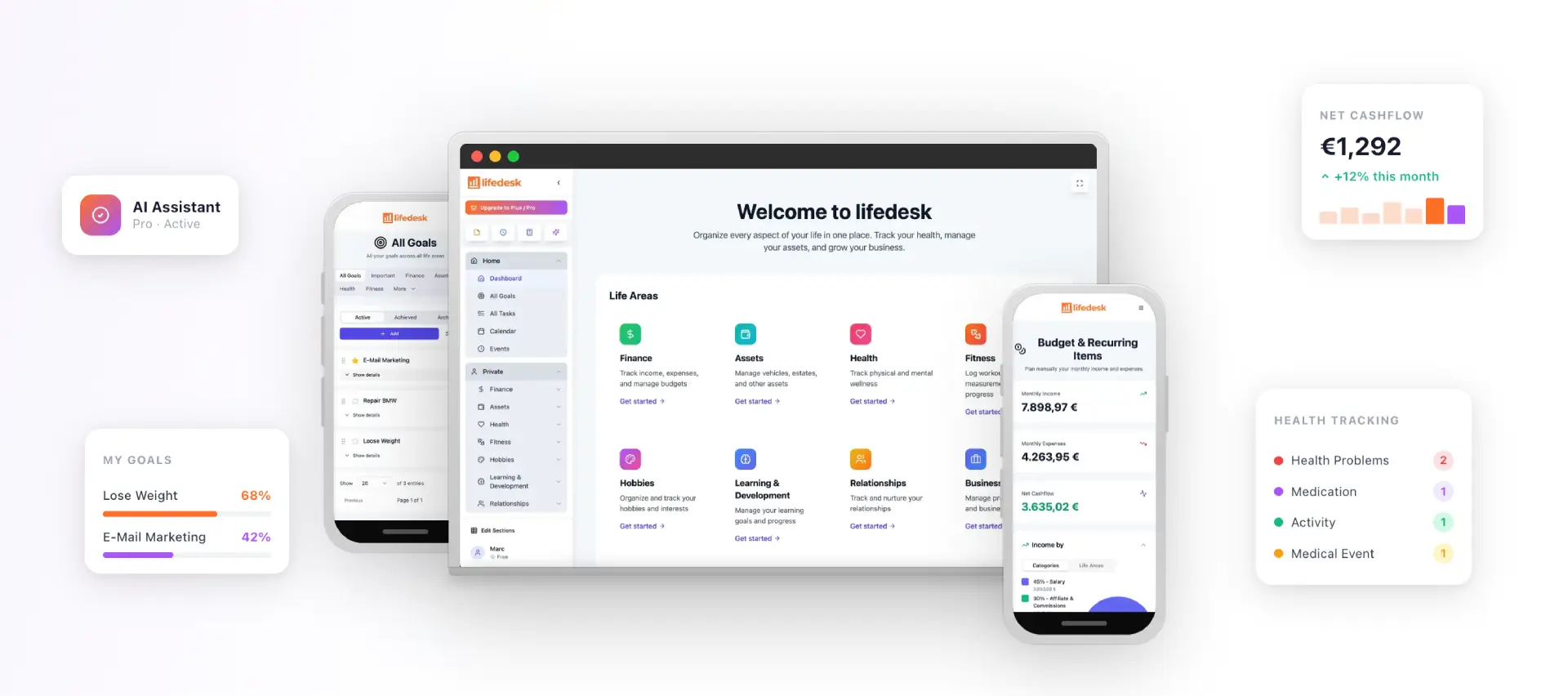
Dependencies in a one-person business cross boundaries: a client’s approval (business) unblocks a payment (finance), which unblocks a personal purchase or a day off (private life). We built LifeDesk to hold tasks, goals, calendar, finances and business projects in one app for web, iOS and Android, with separate but accessible private and business views, so the blocking item and the thing it blocks sit in the same place. It also includes client management, time tracking, notes and an AI assistant.
You can start on the Free plan at $0 per month. Plus costs $9 per month and Pro $19 per month, with premium features such as bank account connections, higher limits and the AI assistant. Details are on the LifeDesk pricing page.
They are finish-to-start (FS), start-to-start (SS), finish-to-finish (FF) and start-to-finish (SF). FS means the second task waits for the first to finish. SS means the second can begin once the first has begun. FF and SF tie the end of the second task to the end or start of the first. In daily practice FS and SS cover nearly everything.
What is the difference between lead and lag?
Lag is a required delay between linked tasks, such as waiting for paint to dry or a client to review. Lead is an overlap, where the second task starts before the first finishes. Both can be applied to any of the four types, and they are written as FS+3 for a three-day offset.
Do I need task dependencies if I work alone?
You need the idea, not the formal setup. Flag the tasks that feed others and the waits you do not control, then order your calendar around them. A full dependency chart on every task is rarely worth the upkeep for one person.
What is an example of a task dependency?
You cannot send an invoice until the client accepts the work. That is a finish-to-start link, and the payment that follows adds a lag equal to your payment terms. Everyday versions include cooking all the dishes before serving dinner or packing before leaving for the airport.