A CRM with a calendar puts your client records, meetings, tasks and follow-ups in one place, so every call you schedule is tied to the person and the deal behind it. For a freelancer or solo business owner, the best choice is the one that shows your client work next...
AI can turn your income, bills and goals into a working monthly budget in minutes. It can also categorize spending, explain budgeting methods and test “what if” scenarios. It works best when you give it real numbers, tell it which method to use, and check the output...
A recurring task is any piece of work that comes back on a pattern: the weekly invoice run, the Tuesday workout, the monthly tax set-aside, a client’s birthday. The best way to manage them is to decide two things for each one: what triggers the next copy (the calendar...
A life operating system (often shortened to Life OS) is one connected setup where your goals, projects, tasks, calendar, notes, money and habits live together and inform each other. A to-do list only stores actions. A life OS also tells you why those actions matter...
The most reliable way to plan work and personal life together is to stop splitting them. Write every commitment into one inventory, put it on one calendar, rank it by importance and urgency, give it a block of time, and review the plan weekly. The rest of this guide...
A calendar time audit is a review of what your calendar says you did over the past few weeks, set against what you say matters. You export or scroll back through four to eight weeks, sort every block into a handful of categories, add up the hours, and compare the...
TL;DR A goal only becomes real when it has a date, a duration and a place on the calendar. Recurring blocks are one of the simplest ways to do this. Structure goals in layers: one or two main missions, projects that act as milestones, and daily actions. Plan, then...
Use a list when your tasks are short, independent and mostly done in one sitting. Use a Kanban board when work passes through stages, when several things are in progress at once, or when you keep losing track of what is stuck. Most people need both: a list for...
Use a calendar for anything that happens at a specific time, and a to-do list for anything that only needs to happen eventually. Most people get stuck when they ask one tool to do the other’s job. A list can’t tell you whether Tuesday has room for a task, and a...
Mood and energy tracking means logging, a few times a day, how you feel and how much fuel you have, then reading the entries for patterns. Do it in 10 to 20 seconds per entry, 3 to 4 times a day, for two weeks. Add one line of context (what you were doing), and you...
AI Meeting Notes: How to Capture, Check and Act on Them
Yes, AI can take your meeting notes. It records or listens to the call, turns speech into a transcript, and has a language model write a summary and a list of action items. The tools are the easy part. What decides whether AI meeting notes help you is what happens afterward: someone checks the output, and every action item lands in a place where it gets done. This guide covers how the technology works, a capture-to-follow-up workflow, the consent rules in the US, and how to keep the results in one system instead of scattered across inboxes and documents.
LifeDesk
Keep Meeting Follow-Up in One Place
LifeDesk brings tasks, goals and calendars together, helping you organize meeting follow-up alongside your wider personal and work priorities.
AI meeting notes are built in stages: audio capture, speech-to-text, speaker labeling, summarization, delivery. A mistake at an early stage carries into the final notes.
AI meeting notes are a written record of a conversation produced automatically. Most outputs have the same parts: a transcript of what was said, a short summary, a list of decisions, and action items. Some tools add topic breakdowns, questions that remain open, and a searchable archive of past meetings.
Three kinds of tools produce them:
Built into your meeting platform. Video platforms now offer AI summaries inside the call. These usually require a paid plan or add-on, and they tend to work only for meetings held on that platform. Language support can be limited too, so a call that switches languages may not be handled well.
Standalone notetakers. These either join your call as a visible participant or record the audio from your device, which also lets them cover in-person meetings.
General-purpose AI assistants. You feed in a recording or transcript and ask for a summary, decisions, action items or formal minutes. This works well when you already have a transcript and want a specific format.
You do not need a perfect tool. You need a reliable routine around whichever one you use.
How AI meeting notes work
Understanding the pipeline tells you where to look for errors. Almost every tool follows the same four to six steps:
Capture. The tool joins the call as a participant or records audio from your browser, computer or phone. Poor audio at this stage hurts everything after it.
Transcription. Automatic speech recognition converts speech into text. Accents, crosstalk, jargon and background noise cause misheard words.
Speaker labeling. The system works out who said what. If it assigns a comment to the wrong person, the action item ends up on the wrong name.
Understanding. A language model reads the transcript and identifies decisions, questions and tasks.
Summary and extraction. The model writes the recap and pulls out action items.
Delivery. The notes are sent to a dashboard, an inbox, a chat channel, a document or a CRM.
The key point is that errors compound. If transcription mishears a name, the language model has no way of knowing and builds the summary on the mistake. A language model also receives text, not sound. It does not hear hesitation, tone or who sounded unsure, so it can present a tentative “maybe we should” as a firm decision. Kitces makes the same point about notetakers in professional settings: these tools generally do not detect sarcasm, emotion or nonverbal cues, which can lead to wrongly recorded recommendations or missed follow-ups.
Accuracy on clear audio can be high, with leading tools reported in the range of 90 to 95 percent for transcription. That sounds good until you count: in a 5,000-word meeting, 5 percent is 250 words that may be wrong. Most are harmless. A few can be a name, a number or a date, and those are the ones that matter.
Before you hit record: consent and privacy
This step is a legal one, so it comes first. In the US, recording rules differ by state. Kitces reports that at least 10 states require all parties to consent to a call being recorded, which makes permission a legal requirement and not just good manners for an AI notetaker in those places. When participants sit in different states, the safest approach is to treat every meeting as if the strictest rule applies.
A simple routine covers most situations:
Announce it. Say at the start of the call that an AI tool is capturing notes, and give people a chance to object. Put the same line in the calendar invite.
Get a clear yes from clients and outside guests. For sensitive conversations, ask in writing beforehand.
Know what the tool does with the data. Check where recordings and transcripts are stored, how long they are kept, and whether they are used to train models. If you handle client financial, legal or health information, check this against your own obligations.
Skip recording when it does not fit. Some conversations, such as performance reviews, legal matters and anything under confidentiality agreements, may call for written notes only. If you have a lawyer or compliance adviser, ask them for your specific situation.
Storage deserves the same attention as capture. Recordings and transcripts pile up fast, and it helps to know where call recordings live and how to manage them before you build a habit of saving everything.
A workflow that produces notes you can trust
The process below works whether you are a freelancer on client calls or a manager running a weekly team meeting.
Step 1: Set up the meeting for capture
Pick the tool, check the audio, and tell participants. Share the agenda in advance, because a model summarizes better when the topics are clear. If your field has specialist vocabulary, such as product names, client names or technical terms, add them to the tool’s custom vocabulary where it offers one. That is reported to improve accuracy in specialized contexts.
Step 2: Capture the conversation
Let the tool run, and say important items out loud in full. “Priya will send the revised quote to the client by Friday” gives the AI an owner, an action and a date. “Let’s get that out soon” gives it nothing to work with. Naming the owner and the deadline at the moment you decide is the cheapest accuracy upgrade there is.
Step 3: Ask for a structured summary
A generic summary is rarely what you need. Ask for a format built around follow-up. A five-part recap works well:
Decisions: one line each, in the words used in the meeting.
Actions: a table with owner, action, due date, and whether the commitment is firm or tentative.
Open questions: each with the person expected to answer.
Parked items: things raised and deliberately postponed.
Next check-in: when the group meets or reports back.
Asking for a timestamp next to each item lets you jump to the right moment in the transcript when you verify it. If decision-making roles in your team are unclear, a decision rights matrix helps you define who decides what, which makes the “Decisions” and “Owner” fields far easier to fill in correctly.
Step 4: Review before you share
This is the step people skip, and the one that protects you. Allow two or three minutes per meeting and run these checks:
Owners and dates. For each action item, open the transcript at its timestamp and confirm the name and deadline.
Decisions versus maybes. Search the transcript for words like “park”, “later”, “not now” and “hold”. Summaries often turn these into decisions.
Speaker attribution. Make sure each statement belongs to the right person, especially anything that sounds like a commitment.
Numbers and names. Check every figure, price, deadline and proper noun against what you remember or your own records.
The review also helps your memory. Going back over a recap forces you to recall what was said, which is a more active process than skimming the notes later.
Step 5: Turn actions into tasks
A list of action items inside a document is not a plan. Only lines with a clear owner and due date should become tasks, and each one belongs in the system where you already manage your work. Everything else stays in the notes as context.
Step 6: Store and share the verified version
Decide up front who receives notes by default, where the archive lives, and how the pieces are kept together: the raw transcript, the reviewed recap and any linked documents. When someone asks six months later, “What did we decide about this?”, you want one place to search.
Common failure points and how to avoid them
Problem
What it looks like
Fix
Misheard names
A task is assigned to the wrong person
Check names against the transcript timestamp
Tentative turned firm
“We might try X” appears as a decision
Ask for firm/tentative labels, search for “later” and “hold”
Missing context
The summary skips sarcasm, hesitation or objections
Add your own one-line note on tone or concerns
Notes nobody reads
A long recap sits in an inbox
Send a five-line version with only decisions and actions
Tasks that vanish
Action items stay in a document
Move each one into your task manager with a due date
Scattered archive
Notes in one app, tasks in another, files in a third
Keep notes, tasks and documents in one workspace
The last two rows are where most people lose the value of AI notes. The recording and summarizing work fine. The follow-up fails.
Can ChatGPT or other AI assistants do this?
Yes, in two ways. First, some assistants have a recording mode in their desktop apps that captures audio, transcribes it and writes a structured summary you can edit. Second, if you already have a transcript, from any source, you can paste it into an assistant and ask for a summary, decisions, action items or formal minutes. The second route is useful when you want your own format, such as the five-part recap above.
Whichever you choose, the review step does not change. An assistant that has only the transcript cannot tell a misheard word from a real one.
Why the notes belong next to your tasks
Most advice on AI meeting notes stops at the summary. For a freelancer, consultant or solo business owner, the summary is the least valuable part. The value is in what you do next: send the revised quote, book the follow-up call, invoice the milestone, update the project plan. Those actions touch your calendar, your clients, your money and your to-do list at once.
That is the case for a single workspace. When meeting follow-up sits in the same place as tasks, goals, calendar and client work, an action item is one step from a scheduled task. You do not copy it between apps, and you do not lose it in a thread. If you have to ask yourself where a commitment ended up, the system has already failed.
It also helps to separate meeting types:
Client calls: notes link to the client record and the project, and actions become tasks with deadlines.
Internal or team check-ins: a short recap with decisions and owners, archived by project.
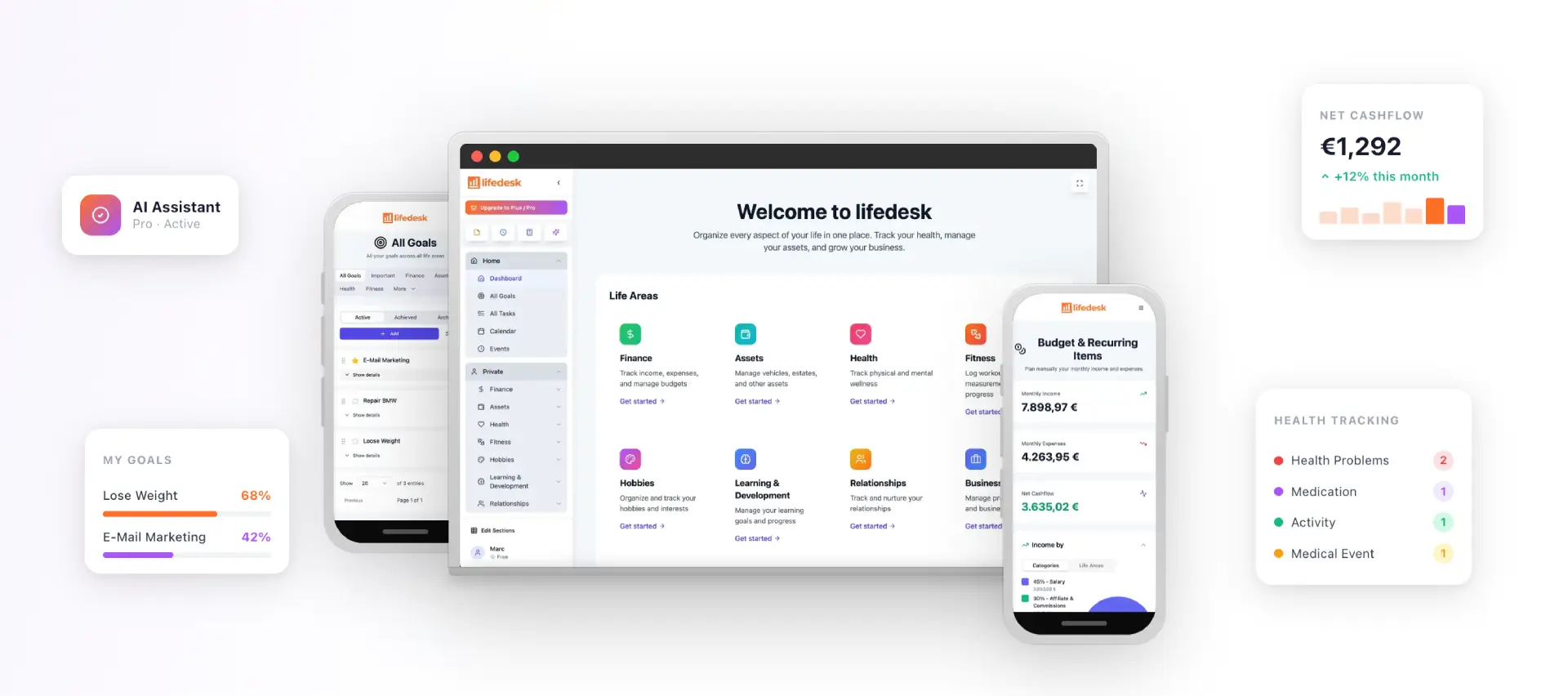
LifeDesk brings tasks, goals, calendar, notes, document storage, client management and business projects into one app for web, iOS and Android. Private and business views are separate but easy to switch between, so a client commitment and a personal appointment can sit side by side without mixing. After a meeting, you can file the reviewed recap as a note, turn each confirmed action into a task, and place the deadline on your calendar. The tasks and goals features are built for exactly that handoff, and the project management tools for freelancers and small businesses keep the notes attached to the work they belong to.
LifeDesk also includes an AI assistant and time tracking, so you can plan the follow-up work and see how long it takes. You can read more about the AI assistant for life and business planning.
There is a free plan at $0 per month. Plus is $9 per month and Pro is $19 per month, and the paid plans unlock higher limits, bank account connections and the AI assistant. See all plans and pricing to pick the one that matches how you work.
A short checklist you can reuse
Tell everyone AI is capturing notes, and get a clear yes from guests and clients.
Share the agenda and add specialist terms to the tool’s vocabulary where possible.
State owners and deadlines out loud when you decide.
Request decisions, actions with owner and date, open questions, parked items and next check-in.
Verify owners, dates, names and numbers against the transcript.
Create tasks only for items with an owner and a due date.
Store the reviewed recap and the transcript together, and share the short version.
FAQ
Is there an AI that can take meeting notes?
Yes. You can use a notetaker built into your meeting platform, a standalone notetaker that joins calls or records your device, or a general AI assistant that works from a recording or transcript. Built-in options often need a paid plan and work only on their own platform, so choose by where your meetings happen.
Can ChatGPT transcribe meeting notes?
Yes. Its macOS desktop app has a record mode that captures microphone and computer audio, transcribes it and writes an editable summary. It can also turn a transcript you already have into decisions, action items or formal minutes. Review the result before sharing it.
How accurate are AI generated meeting notes?
Leading tools are reported to reach 90 to 95 percent transcription accuracy on clear audio. Accuracy drops with crosstalk, accents and jargon, and the summary inherits any transcription errors. Check owners, dates, names and numbers before you share the notes.
Do I need permission to record a meeting with AI?
In many cases, yes. At least 10 US states require all parties to consent to a call being recorded, and the rules differ by state. Announce the recording, get a clear yes from guests, and ask a lawyer about your specific situation if the meeting is sensitive.
What should I do with AI meeting notes after the call?
Review them, then turn only the items with a clear owner and due date into tasks. Store the verified recap and the transcript together so you can find them months later.