A CRM with a calendar puts your client records, meetings, tasks and follow-ups in one place, so every call you schedule is tied to the person and the deal behind it. For a freelancer or solo business owner, the best choice is the one that shows your client work next...
A recurring task is any piece of work that comes back on a pattern: the weekly invoice run, the Tuesday workout, the monthly tax set-aside, a client’s birthday. The best way to manage them is to decide two things for each one: what triggers the next copy (the calendar...
A life operating system (often shortened to Life OS) is one connected setup where your goals, projects, tasks, calendar, notes, money and habits live together and inform each other. A to-do list only stores actions. A life OS also tells you why those actions matter...
The most reliable way to plan work and personal life together is to stop splitting them. Write every commitment into one inventory, put it on one calendar, rank it by importance and urgency, give it a block of time, and review the plan weekly. The rest of this guide...
A calendar time audit is a review of what your calendar says you did over the past few weeks, set against what you say matters. You export or scroll back through four to eight weeks, sort every block into a handful of categories, add up the hours, and compare the...
TL;DR A goal only becomes real when it has a date, a duration and a place on the calendar. Recurring blocks are one of the simplest ways to do this. Structure goals in layers: one or two main missions, projects that act as milestones, and daily actions. Plan, then...
Use a list when your tasks are short, independent and mostly done in one sitting. Use a Kanban board when work passes through stages, when several things are in progress at once, or when you keep losing track of what is stuck. Most people need both: a list for...
Use a calendar for anything that happens at a specific time, and a to-do list for anything that only needs to happen eventually. Most people get stuck when they ask one tool to do the other’s job. A list can’t tell you whether Tuesday has room for a task, and a...
Mood and energy tracking means logging, a few times a day, how you feel and how much fuel you have, then reading the entries for patterns. Do it in 10 to 20 seconds per entry, 3 to 4 times a day, for two weeks. Add one line of context (what you were doing), and you...
A good personal dashboard is one screen that answers the few questions you ask yourself every day: What is next? Am I on track? What needs me right now? You set it up by choosing 4 to 6 widgets, arranging them in four zones, and deleting everything that does not earn...
AI for Budgeting: How to Build a Budget That Lasts
AI can turn your income, bills and goals into a working monthly budget in minutes. It can also categorize spending, explain budgeting methods and test “what if” scenarios. It works best when you give it real numbers, tell it which method to use, and check the output yourself. This guide covers what to prepare, what to ask, how to handle irregular income, and where AI needs a human check.
LifeDesk
Keep Your Budget in View
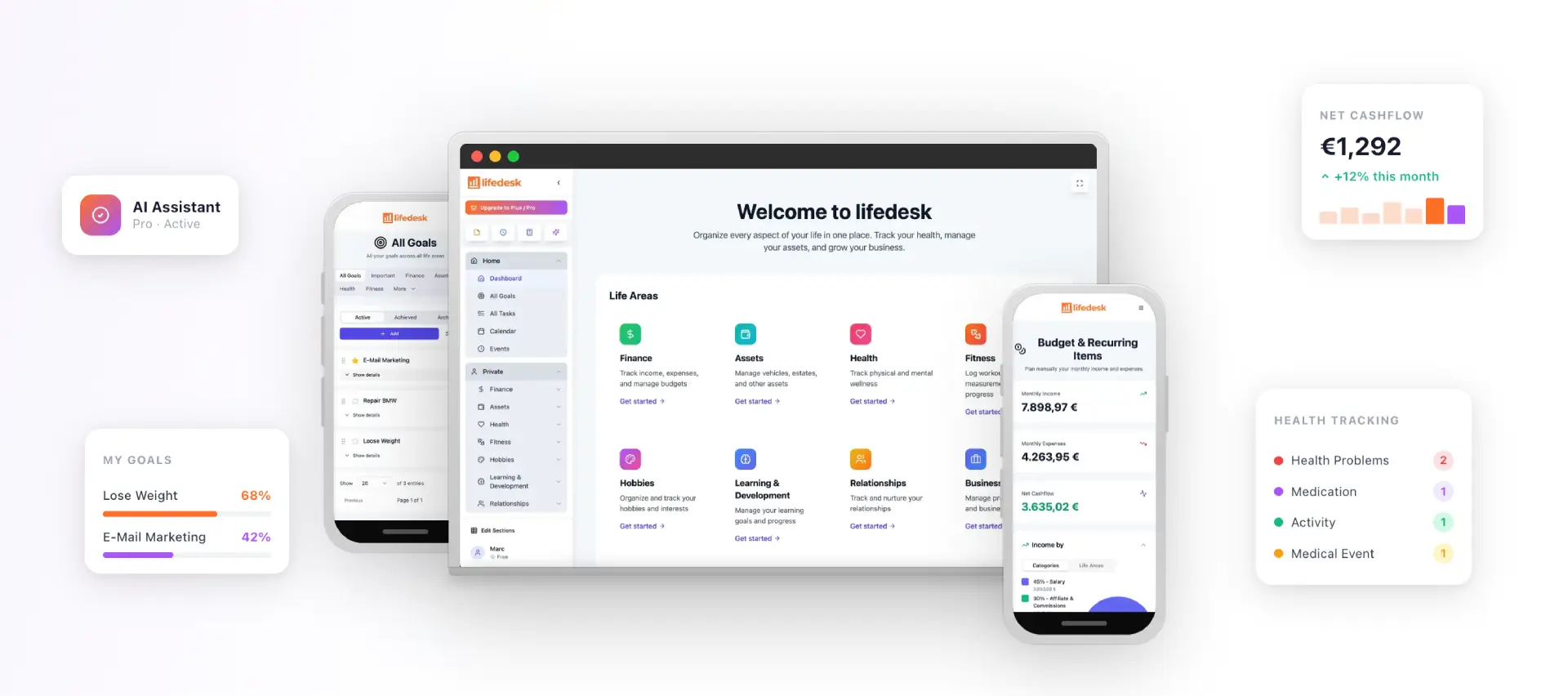
LifeDesk brings finances, goals, tasks and calendars together, helping you organize personal and business responsibilities in one place.
AI is good at organizing income, expenses and goals, explaining methods in plain language, and running “what if” scenarios. U.S. Bank describes these uses.
Spend 15 to 20 minutes gathering real figures first. Actual statement totals produce far better output than guesses from memory.
Name the method (50/30/20, zero-based, envelope or goal-first), or the AI will pick one for you.
Never share account numbers, passwords, PINs or Social Security numbers. Round your amounts.
Review the result monthly. AI can drift or invent details, so you stay in charge of the final plan.
Think of AI as a fast, patient assistant for the tedious parts of budgeting. According to U.S. Bank, it can organize income, expenses and goals into a clear framework, explain budgeting approaches in plain language, suggest ways to adjust spending when life changes, and pressure-test scenarios.
The Canadian Foundation for Economic Education adds a practical list: break big goals into smaller steps, draft a simple budget that matches your goals, income and expenses, analyze spending habits, explain financial terms, and make predictions from data you provide.
In practice, that means four jobs:
Drafting. You supply the numbers and AI returns a category-by-category plan with suggested limits.
Sorting. AI tools categorize transactions using merchant descriptions and what they learn from your history. Upgrade lists typical categories such as housing, groceries, dining, transportation, subscriptions, debt payments and savings.
Spotting patterns. Overspending alerts, subscription creep and duplicate charges are exactly what pattern-matching is good at finding.
Forecasting. Based on past habits, some tools project cash flow 30 to 90 days ahead, according to the same Upgrade guide.
Budgeting in a spreadsheet gets easier too. Google’s guide to Gemini in Sheets shows how AI can build a tracker with Category, Budget, Actual and Variance columns and write formulas for you. One example is working out how many months it takes to pay off a $4,500 card balance at 21% APR with $300 a month.
Get your numbers ready before you open an AI tool
The quality of an AI budget depends on the quality of your inputs. Techaifinance says the biggest predictor of a useful result is whether you arrive with actual figures from bank statements rather than estimates from memory. It suggests setting aside 15 to 20 minutes to collect:
Monthly take-home income
Fixed expenses (rent or mortgage, insurance, loan payments, utilities)
Average variable spending, ideally from two months of statements
Debts, with APR and minimum payments
Current savings
One or two concrete goals, such as an emergency fund or a down payment
If your income varies, use a three-month average instead of your best month. The Leland builder workshop recommends this for freelance income, and it also suggests exporting a three-month transaction CSV from your bank and combining accounts into one file.
A simple way to make the data manageable: group spending into 8 to 12 plain categories and give the AI the totals, not every line item.
What to leave out
U.S. Bank advises sharing rounded monthly figures and keeping out account numbers, passwords, PINs, Social Security numbers, full addresses, employer IDs and complete bank statements. If you export a statement, delete the account and routing numbers first.
Pick a method, then write a specific prompt
U.S. Bank’s guidance is blunt: tell the AI which approach you want, such as the 50/30/20 rule, zero-based budgeting, envelope-style or goal-first, or it will guess. Here is how they differ in practice:
Method
How it works
Good fit when
50/30/20
Split take-home pay into needs, wants and savings
You want a quick, simple frame
Zero-based
Every dollar gets a job until income minus plans equals zero
You want tight control
Envelope-style
Fixed spending limits per category
Overspending in a few categories is the problem
Goal-first
Start from the target, work backward to a monthly amount
You are saving for something specific
If you are unsure which suits you, it helps to set SMART financial goals first and then choose the method that serves them.
A prompt structure that works
Tom’s Guide recommends asking the AI to act as a personal finance coach and budget analyst, giving it your income, fixed expenses, variable spending, debts and savings goals, and requesting a realistic monthly budget by category with spending limits and notes on where changes matter most.
A version you can adapt:
Act as a budget analyst. My monthly take-home pay is about $4,200. Fixed costs: rent $1,450, car and insurance $520, phone and internet $140, minimum debt payments $210. Variable spending averages: groceries $480, dining $220, fuel $150, shopping $180. I want to save $9,000 in 18 months. Use a zero-based method, show your assumptions, and give me two versions: one strict, one flexible.
The numbers above are only an illustration of the format. Replace them with yours.
Blue & White Finance suggests a few habits that make prompts better: focus on one task at a time, give context, specify the output format, and iterate with small tweaks. Follow-ups that work well:
“Add $100 a month for fun spending and rebalance.”
“Factor in an annual insurance bill of $900 and a $600 holiday cost.”
“Give me a version that reaches the goal two months faster, and tell me what has to change.”
Keep going until the plan feels doable, not just correct on paper.
Irregular income, forecasting and business spending
Freelancers and self-employed people have a harder budgeting problem: the bills are steady, the income is not. AI helps in three ways.
Averages and buffers. Ask it to calculate your average monthly income across the last six to twelve months, flag your lowest months, and size a buffer to cover them. AI budgeting guides point to exactly this use: estimating averages, detecting low-cash months and planning buffers.
Forecasts from history. Behind many tools sit three kinds of algorithms: classification to sort transactions, regression to forecast expenses from history and seasonal patterns, and anomaly detection to flag unusual charges. The more history they have, the better they perform. SoFi cautions that predictions can be off when a tool has only a few weeks of data.
Pending revenue. Some tools let you connect invoicing or payment platforms so the forecast can include money that is owed to you. That makes projections more reliable than income guessed from last month.
A prompt for variable earners: “My income over the last six months was $3,100, $5,800, $2,400, $4,900, $4,100 and $3,600. Set a baseline budget on my lowest three-month average and tell me what to do with months above it.” Then decide yourself what share of a good month goes to taxes, buffer and goals. Tax questions belong with a qualified tax professional.
AI answers sound confident whether or not they are right. In an ABC News report, Professor Uri Gal says AI systems are optimized for plausibility rather than accuracy. Dr Antoine Didisheim suggests using AI for work you can verify, with a household budget as an example.
A short review checklist:
Recompute the totals. Do income, categories and savings actually add up? Ask the AI to show its math, or check in a spreadsheet.
Compare against statements. Do the categories match what you really spent?
Look for invented items. Tell the AI to use only the numbers you typed. A monthly check-in workflow recommends exactly that.
Ask for assumptions.U.S. Bank suggests asking the AI to show its assumptions or recalculate with different parameters when something feels off.
Test it against real life. The Canadian Foundation for Economic Education notes that AI can underestimate how hard some recommendations are in practice. Cutting transport costs or picking up extra work may not be possible for you.
Using AI for budgeting is not the same as getting regulated advice, and the official guidance is consistent on this.
No safety net. Singapore’s MoneySense notes that AI tools are not regulated, can produce convincing but wrong information, cannot assess your whole financial picture, and offer no complaints process or compensation if you lose money following their output.
Real losses.GreenPath reports that nearly 1 in 5 people who followed AI-generated financial advice said they lost money, citing a survey highlighted by Investopedia.
Fraudulent apps. SoFi warns that some fake apps exist to harvest login credentials. Download only from official app stores and read what an app asks you to connect.
The safe pattern is to use AI for organizing, explaining and drafting, and to take investing, home-buying, debt-collection and tax decisions to a qualified professional. OpenAI’s own page says its assistant is not a replacement for professional financial advice, and MoneySmart, Australia’s government money site, describes general AI as a possible learning aid for explaining information, not something to rely on alone.
Automate the saving, not just the tracking
A budget only helps if money actually moves. OpenAI’s guidance points to automation as the biggest difference-maker: transfer a set amount every payday into a separate savings account so you save before you see the money. Its example: $75 a week comes to roughly $900 in three months, and $150 a week to roughly $1,800.
AI can help you find where that money comes from. Food and delivery, subscriptions and recurring charges, and impulse spending are the three areas that guidance suggests looking at first. Ask your assistant to list every recurring charge from your statement and rank them by annual cost.
Where LifeDesk fits
A chat window gives you a plan, but you still have to carry it into your calendar, your tasks and your accounts. LifeDesk is an all-in-one app for web, iOS and Android that keeps finances, goals, tasks and calendar together, with separate views for private and business life. Paid plans unlock features such as bank account connections, higher limits and an integrated AI assistant.
Yes, as a first draft. Give it your income, fixed costs, typical variable spending, debts and goals, and name the method you want. Then verify the math and adjust it to your real life before you rely on it.
Is it safe to share my financial information with AI?
Share rounded figures only. Keep out account numbers, passwords, PINs, Social Security numbers, full addresses and complete statements, as U.S. Bank recommends. Use official app stores and avoid unknown apps that ask for your bank login.
Can AI handle a freelancer’s irregular income?
It can help estimate average income, find your lowest months and size a cash buffer. Give it several months of real figures, not one good month. For taxes, talk to a qualified tax professional.
Should I use AI for investing or tax decisions?
Use it to learn terms and organize your questions, not to make the decision. Official guidance, such as MoneySense, notes that AI tools carry no regulatory responsibility and offer no recourse if advice goes wrong. A licensed professional is the right person for investing and tax choices.
How often should I review an AI-built budget?
Monthly. Check changes in income, bills, subscriptions, goals and spending patterns, and update the plan accordingly.