A calendar time audit is a review of what your calendar says you did over the past few weeks, set against what you say matters. You export or scroll back through four to eight weeks, sort every block into a handful of categories, add up the hours, and compare the...
TL;DR A goal only becomes real when it has a date, a duration and a place on the calendar. Recurring blocks are one of the simplest ways to do this. Structure goals in layers: one or two main missions, projects that act as milestones, and daily actions. Plan, then...
Use a list when your tasks are short, independent and mostly done in one sitting. Use a Kanban board when work passes through stages, when several things are in progress at once, or when you keep losing track of what is stuck. Most people need both: a list for...
Use a calendar for anything that happens at a specific time, and a to-do list for anything that only needs to happen eventually. Most people get stuck when they ask one tool to do the other’s job. A list can’t tell you whether Tuesday has room for a task, and a...
Mood and energy tracking means logging, a few times a day, how you feel and how much fuel you have, then reading the entries for patterns. Do it in 10 to 20 seconds per entry, 3 to 4 times a day, for two weeks. Add one line of context (what you were doing), and you...
A good personal dashboard is one screen that answers the few questions you ask yourself every day: What is next? Am I on track? What needs me right now? You set it up by choosing 4 to 6 widgets, arranging them in four zones, and deleting everything that does not earn...
Daily metrics tracking means watching a few current, high-frequency numbers that warn you early and let you correct course. Start by choosing a key performance question, then pick a small set of daily measures that answer it, such as time on priority tasks, completed...
Design daily boundaries, protect deep work, and run weekly reviews: that combination does more for sustainable balance than any single trick. Expect steadier energy and less burnout drift once boundaries are in place, and you can start today by picking one boundary (a...
Use time blocking for sustained deep work on a single project, and use task batching to group shallow, repeatable tasks into one focused session. Both methods solve the same underlying problem, which is constant context switching, but they solve it differently, and...
Open a dedicated business bank account and route every bit of business income there, right from the start. Pair it with a business credit card and standalone bookkeeping, and pay yourself through documented draws or payroll instead of pulling cash whenever you need...
Work and Personal Planning: Build One System That Holds
The most reliable way to plan work and personal life together is to stop splitting them. Write every commitment into one inventory, put it on one calendar, rank it by importance and urgency, give it a block of time, and review the plan weekly. The rest of this guide shows how to do each step, with a sample week for a self-employed person and a look at what to expect from a planning tool.
LifeDesk
Plan Work and Life Together
LifeDesk brings tasks, goals, calendars, finances, health, and work organization together in one place, helping you keep personal and professional plans in view.
Personal planning is the practice of deciding, in writing, what matters in your life and when it will get your time. Researchers who write about integrated life planning treat personal and professional goals as equally important parts of one plan. The same authors argue that a written, systematic plan helps tie together career, finances, relationships, time use and health into a purposeful whole.
That is different from the classic idea of work-life balance as two separate piles. A peer-reviewed guide on time management defines work-life integration as coordinating work, family, friends and self into a unified whole, with time allocated proportionally. You do not need to love that phrase to use the idea. It means a dentist appointment, a client deadline and your daughter’s recital belong in the same view, because they compete for the same 24 hours.
This matters most if you have fewer walls between work and home: freelancers, solopreneurs, people with a side business, or employees who answer messages at 9 p.m. When your calendar for work lives in one app and your personal life in a notebook, the conflicts only appear when it is too late.
Step 1: Build one inventory of everything
Before you pick a tool or a planner layout, get everything out of your head. Indeed’s scheduling guide recommends writing down every professional and personal task first, including recurring household activities, and only then organizing the list.
A useful inventory has more than task names. For each item, note:
Type: work, personal, or shared (a school pickup that shapes your client hours)
Frequency: daily, weekly, monthly, one-off
Time needed: a rough estimate in minutes or hours
Flexibility: fixed (a flight, a meeting) or movable (laundry, admin)
Indeed also suggests recording how often each task happens and clustering similar tasks, then placing recurring work and personal activities on a weekly chart. Clustering is where the time savings come from. Invoicing, bookkeeping and email follow-ups can share one admin block. Groceries, pharmacy and errands can share one trip.
Do not edit while you list. A common first inventory has 40 to 80 items, and many of them turn out to be small. That is normal, and it is the reason a single list beats five scattered ones.
Step 2: Put it all on one calendar
A planning system fails most often at the calendar. Work events sit in one place, personal events in another, and nobody sees the overlap until Thursday afternoon.
If you share a household, add the family. The work-life integration guide recommends telling close family and friends about important, inflexible commitments and using a family calendar so everyone can account for one another’s schedules.
You can keep work and personal items visually separate, with colors or filters, as long as they live in the same system. The test is simple: can you answer “am I free Tuesday at 3?” in five seconds without opening a second app?
If you wonder whether the calendar or a task list should drive the day, our comparison of calendar vs. to-do list walks through when each wins. The short version: tasks with a duration and a deadline belong on the calendar, and loose tasks stay on the list until you give them a slot.
Step 3: Set priorities when work and personal tasks compete
Once everything is visible, you will see that you have more than fits. That is the point. Priorities are how you decide what loses.
The work-life integration guide gives a simple method: list activities across life domains, choose the most important ones based on importance and urgency, record their time commitments, and set realistic goals and timelines. Its authors argue that limited time requires deliberate choices across all life domains, not a work-dominated model where everything else gets what is left.
A practical way to run this:
Mark the fixed items. Appointments, deadlines, school hours. They go on the calendar first.
Mark what is both important and urgent. Client deliverable due tomorrow, a sick child, a tax payment.
Mark what is important but not urgent. Exercise, a long-term project, a conversation with your partner, learning a skill. These are the items that vanish if you do not protect them.
Separate needs from wants. Indeed suggests distinguishing work needs from personal wants or needs so you can assess the inventory deliberately. A want can still win, but it should win on purpose.
Cut or delay the rest. Write down what you are postponing so it does not become a hidden worry.
For freelancers, one more category matters: billable hours. If you sell your time, a block spent on admin has a real cost. Our guide to time management for freelancers shows how to protect those hours without giving up evenings.
Step 4: Use time blocks that bend
A priority without a time slot is a wish. Time blocking gives each item a place. Harvard Business Review’s guide to switching between work and personal time recommends planning the day by placing meetings, project work, email and evening personal activities into explicit slots. The writer, Elizabeth Grace Saunders, notes that giving both kinds of activity a defined place reduces the sense that work must intrude on personal time, or the other way round.
Resist the urge to schedule every 15 minutes. Indeed recommends broad morning, midday, afternoon and evening blocks over an hour-by-hour grid, which lets the plan absorb delays and emergencies. A flexible day might look like this:
Morning: focused work on your most important task, or exercise
Midday: meetings, calls, lunch
Afternoon: admin, email, errands, collaborative work
Evening: family, hobbies, rest, and a five-minute look at tomorrow
Blocks can hold personal goals too. If you want a regular workout, treat it like a client call. A guide on Apple Watch workout planning shows how to build a training plan around your actual schedule so it survives a busy week.
The most common planning mistake is ambition. The work-life integration article warns that an overcommitted schedule creates unmet expectations, and recommends making only a schedule you can realistically fulfill. It also advises including family responsibilities and exercise in the weekly schedule from the start, not as leftovers.
A weekly plan that works usually follows these rules:
Leave slack. If your tasks add up to 40 hours of a 40-hour week, the plan is already broken. Keep 20 to 30 percent unassigned for the unexpected.
Limit the big rocks. Pick two or three important outcomes for the week, at least one of them personal.
Protect one recurring slot per life area. Health, relationships, learning and hobbies need a standing place, or they will lose every negotiation.
Keep routines small. A short daily practice beats a heroic weekly one. A daily piano routine is a good model for any hobby: a fixed, modest slot you repeat.
Link goals to the calendar. A goal with no scheduled work is only a wish. Our page on a calendar with goals explains how to turn goals into scheduled sessions.
Money belongs in this plan too. Rent, tax payments, invoices and subscriptions are dated events, and they cause stress when they surprise you. Treat them as calendar items, as described in our piece on calendar and finance integration.
A sample week for a self-employed professional
Here is an illustration, not a prescription. It shows how work and personal blocks can share one week for someone who works for clients and has a family.
Day
Morning
Midday
Afternoon
Evening
Monday
Deep work: client project
Calls and email
Admin and invoicing
Family dinner, plan the week
Tuesday
Gym, then deep work
Client meetings
Errands
Hobby or learning slot
Wednesday
Deep work: client project
Calls
Marketing and outreach
Free
Thursday
Deep work: second project
Meetings
Finance check, bookkeeping
Friends or partner time
Friday
Wrap-up and deliverables
Review the week
Personal appointments
Free
Weekend
Family and rest
One short planning slot on Sunday
Optional errands
Free
Notice what the table does. Each weekday has one protected personal item. Admin is clustered rather than spread. And the Sunday planning slot is short: 15 to 20 minutes to look at the next seven days is enough.
Step 6: Review and adjust weekly and daily
No plan survives contact with a real week. The goal is not a perfect plan but a plan you can fix quickly. Harvard Extension School advises reviewing the schedule weekly and daily, noting when your attention is strongest, learning from what works, and adjusting as often as needed. The master plan exposes conflicts early, and the short reviews keep it responsive to your energy and to changing demands.
Two checkpoints cover most of it:
Weekly review (15 to 30 minutes).
Look at what you finished and what slipped, and ask why.
Move unfinished items on purpose, or drop them.
Check next week’s fixed commitments, work and personal.
Choose your two or three big outcomes.
Daily check (5 minutes).
Look at today’s calendar and the top three tasks.
Confirm the first block starts with the most important item.
At the end of the day, glance at tomorrow and move anything that did not fit.
If a block keeps failing, change the block, not your willpower. Maybe the deep-work slot is in your low-energy hours, or the estimate was too short.
Where a single tool helps
You can run this system on paper, in a spreadsheet or in separate apps. The weak point is usually the handoffs: copying tasks to a calendar, checking money elsewhere, remembering goals in a notebook. If that friction is what stops you, a tool that keeps everything together removes the copying.
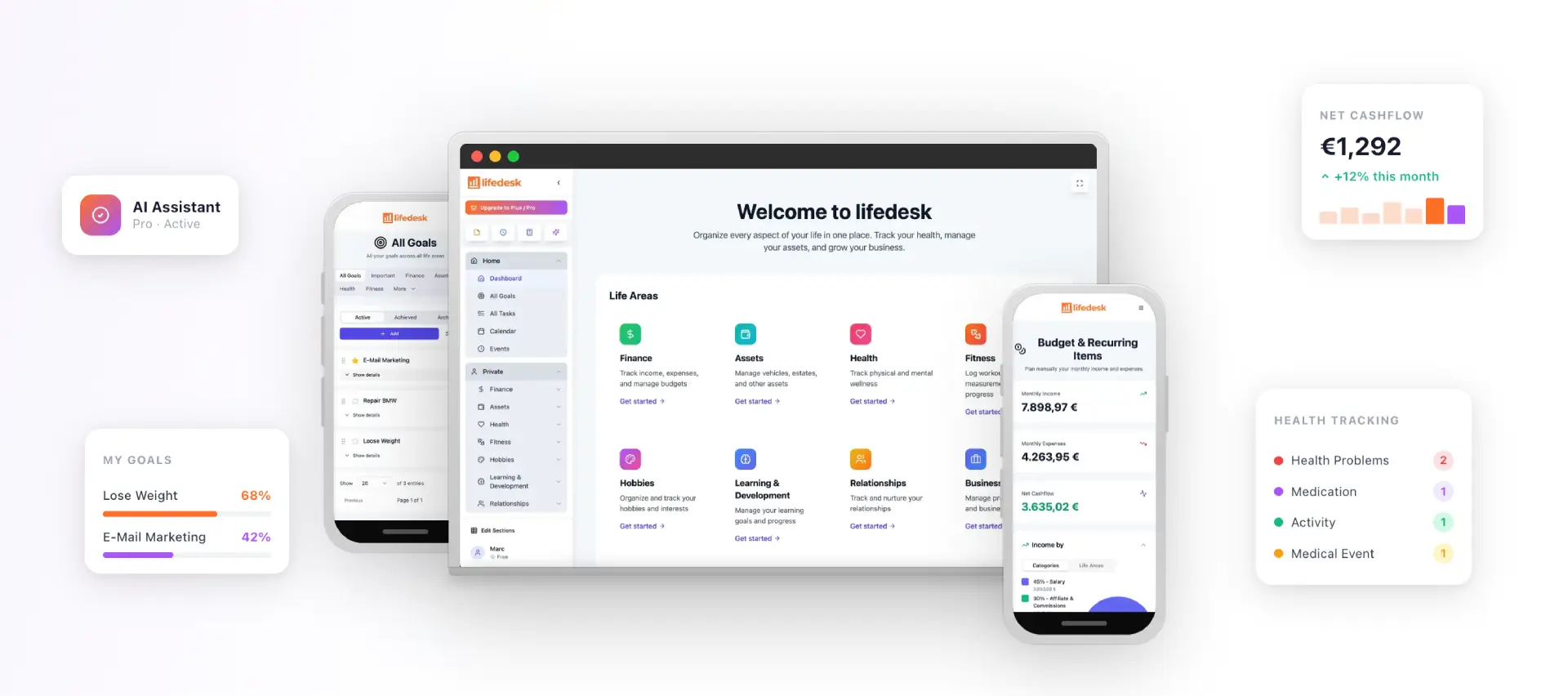
LifeDesk is an all-in-one app for web, iOS and Android that combines tasks, goals, calendar, finances, health, fitness, relationships, learning, hobbies and business organization in one place. It offers separate but accessible views for private and business life, so you can keep them apart visually without splitting your system. Our aim is that it can replace several single-purpose apps, though how many depends on what you use today.
Plans are published on the pricing page: Free at $0 per month, Plus at $9 per month and Pro at $19 per month. According to our plan descriptions, the paid plans unlock features such as bank account connections, higher limits and the AI assistant. You can start with the free plan and set up your inventory, calendar and weekly review before deciding on more. If you run a business alongside your personal life, look at the finance features, the project tools and the free time tracker. To connect tasks and events, see our walkthrough of calendar and task integration.
Common mistakes to avoid
Planning only work. If personal items are not on the calendar, work will fill the space. Put them in first.
Too many systems. Every extra list or calendar is another place for conflicts to hide.
Scheduling at 100 percent. Leave slack, or one late call will break the day.
Skipping the review. Without it, the plan drifts from reality within a couple of weeks.
Ignoring the people involved. Tell family and close contacts about your fixed commitments, as the work-life integration guide advises, so they can plan around you.
FAQ
What is personal planning?
Personal planning means deciding what matters across your life and scheduling time for it. Research on integrated life planning describes a written, systematic plan that connects career, finances, relationships, health and time use. Work and personal goals are treated as equally important parts of the same plan.
What is the best way to organize my day?
Start from a single inventory and a single calendar, then rank tasks by importance and urgency. Place the most important task in your best-attention block, and use broad morning, midday, afternoon and evening blocks so the day can absorb delays. Finish by looking at tomorrow for five minutes.
Should I use one planner or separate ones for work and personal life?
One system is easier to trust, because conflicts show up in a single view. Research on the AIR method advises one calendar for appointments, meetings and protected activities, since multiple calendars create conflicts. You can still use colors or filters to tell the two areas apart.
How often should I review my plan?
Review weekly and check daily. A weekly review of 15 to 30 minutes covers what slipped, next week’s fixed commitments and your main outcomes. A five-minute daily check keeps the plan matched to your energy and to changes.
How do I avoid overloading my schedule?
Schedule only what you can realistically fulfill, and leave unassigned time for surprises. An overcommitted schedule creates unmet expectations, so cut or delay lower-priority items on purpose. Write down what you postponed so it stays visible.