A good color-coded calendar uses three to five colors, gives each color one meaning, and keeps those colors identical on every device. If you can look at your week for three seconds and see where work, personal time, deadlines and focus blocks sit, the system is...
Yes, AI can take your meeting notes. It records or listens to the call, turns speech into a transcript, and has a language model write a summary and a list of action items. The tools are the easy part. What decides whether AI meeting notes help you is what happens...
A CRM with a calendar puts your client records, meetings, tasks and follow-ups in one place, so every call you schedule is tied to the person and the deal behind it. For a freelancer or solo business owner, the best choice is the one that shows your client work next...
AI can turn your income, bills and goals into a working monthly budget in minutes. It can also categorize spending, explain budgeting methods and test “what if” scenarios. It works best when you give it real numbers, tell it which method to use, and check the output...
A recurring task is any piece of work that comes back on a pattern: the weekly invoice run, the Tuesday workout, the monthly tax set-aside, a client’s birthday. The best way to manage them is to decide two things for each one: what triggers the next copy (the calendar...
A life operating system (often shortened to Life OS) is one connected setup where your goals, projects, tasks, calendar, notes, money and habits live together and inform each other. A to-do list only stores actions. A life OS also tells you why those actions matter...
The most reliable way to plan work and personal life together is to stop splitting them. Write every commitment into one inventory, put it on one calendar, rank it by importance and urgency, give it a block of time, and review the plan weekly. The rest of this guide...
A calendar time audit is a review of what your calendar says you did over the past few weeks, set against what you say matters. You export or scroll back through four to eight weeks, sort every block into a handful of categories, add up the hours, and compare the...
TL;DR A goal only becomes real when it has a date, a duration and a place on the calendar. Recurring blocks are one of the simplest ways to do this. Structure goals in layers: one or two main missions, projects that act as milestones, and daily actions. Plan, then...
Use a list when your tasks are short, independent and mostly done in one sitting. Use a Kanban board when work passes through stages, when several things are in progress at once, or when you keep losing track of what is stuck. Most people need both: a list for...
Client Retention Plan for Freelancers: A Simple System
A client retention plan is a short set of repeatable habits for every stage of a client relationship, from the first welcome message to the follow-up after the project ends. For a freelancer, the plan that works is the one you can run in about 20 minutes a week: one record per client, a few scheduled touchpoints, and a work journal that tells you who needs attention before they drift away. We built LifeDesk around that idea: clients, tasks, calendar and notes in one place, so the plan lives where you already work.
LifeDesk
lifedesk.me
Keep Client Follow-Ups in View
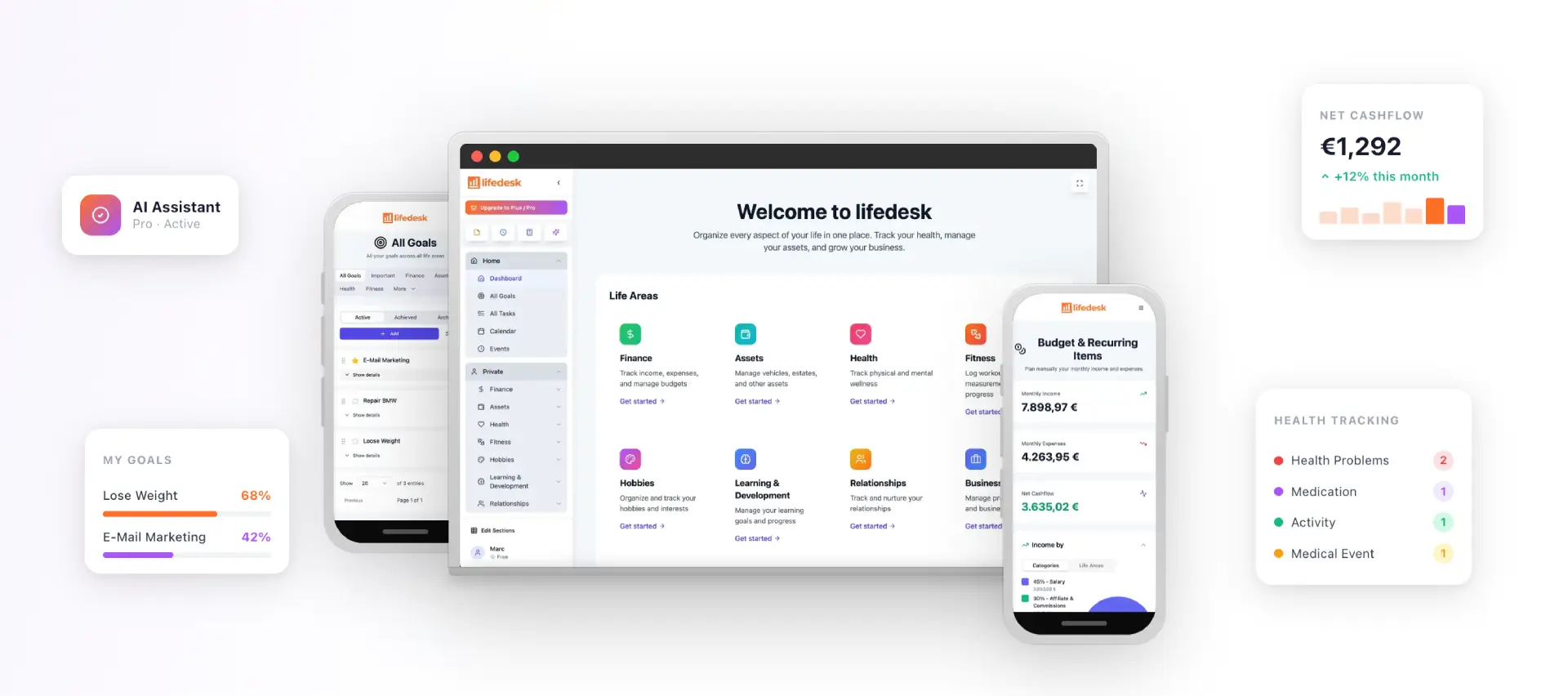
LifeDesk brings tasks, calendars, notes, and business organization together, helping freelancers track client priorities alongside other responsibilities.
Big-company guides talk about loyalty programs, customer success teams and churn dashboards. None of that fits a one-person business. For you, a retention plan is consistent, repeatable processes across the whole client relationship: structured onboarding, a communication plan, a project delivery tracker, an offboarding workflow, and a referral and follow-up plan.
The goal is simple. You want fewer clients who disappear after one project, more clients who come back, and more referrals. You get there by making the relationship predictable for the client and low-effort for you.
The rest of this article walks through the plan in the order you would build it.
Step 1: Decide who you are retaining and why
Not every client should be retained. Start by marking which clients are likely to need ongoing or repeat work: a site that needs updates, a business with a monthly content need, a founder who keeps launching things. A realistic retention goal starts with that short list, not with every name in your inbox.
Write one sentence per client: what they will probably need next, and roughly when. That sentence drives everything else, because it tells you what to propose and when to reach out.
It also helps to know which engagement model you are selling. Ongoing work and one-off projects behave differently, and this comparison of retainers versus projects shows how each affects planning and repeat business.
Why bother? One onboarding guide reports that clients who feel oriented and heard in week one renew at much higher rates than those who feel rushed or ignored, based on its own engagements (Gatilab). Treat it as a directional finding from one agency, not a law. The practical point stands: clarity early reduces anxiety later.
Step 3: Set a communication rhythm you will actually keep
Most freelancers lose clients through silence, not through bad work. The fix is a rhythm tied to triggers rather than guilt. A trigger map works well:
At a milestone: clarify status and ask for the next decision.
At a routine check-in: confirm the client’s current priorities.
On an unresolved thread: close the loop and propose the next touchpoint.
For active projects, a short weekly update does most of the work. A simple template covers four items: Completed, Next, Timeline, and Needed from you. After calls, send a recap listing each decision with an owner and a due date, so nobody reopens the same conversation.
One rule matters more than the format: send the update even when little moved. A short “no change, here is what is next” keeps trust intact. A skipped update in a heavy week is the one clients notice.
This is the job of a lightweight CRM, meaning a customer relationship manager: a tool that stores contacts and history. In LifeDesk, client management sits next to your tasks and calendar, so a follow-up becomes a task with a date and appears in the same view as the rest of your week. If you are choosing between a CRM and a project tool, our comparison of CRM vs project management for freelancers explains the difference, and the guide to choosing a CRM with a calendar shows what to look for.
Step 5: Run the plan from a work journal
This is the part most retention articles skip. A work journal is a running log of what you did, what you promised and what you learned. It is the memory your plan needs.
What to record
Keep entries short. Log as you go, so you are not reconstructing the week on Friday:
What you shipped, with a link to the work
What changed in conversation with the client
What the client approved, and when
Promises you made and their due dates
Feedback, exactly as the client said it
Anything blocked, and what you are waiting on from the client
Scan active clients, flag anyone quiet for more than two weeks
After each project
15 minutes
Write a short post-project review, log feedback and outcomes
Quarterly
30 minutes
Check in with your top five clients, draft one referral request
Yearly
60 minutes
Read your full client history and find the pattern behind any losses
The yearly step is the one that changes your business. If three clients left over slow replies, or over surprise invoices, you now know which part of the process to fix. Change one thing at a time and see whether the pattern stops.
In LifeDesk you can keep the journal in notes attached to the client, schedule the review as a recurring calendar block, and turn each follow-up into a dated task. The time blocking guide shows how to protect that weekly slot.
Step 6: Spot the warning signs early
Clients rarely announce they are leaving. They fade. Signs worth writing into your weekly review, as listed in an analysis of agency churn:
Reports or updates go unopened for two months
The client stops asking questions
Your main contact leaves the company
Renewal conversations shrink into scope details
Payments start slipping past agreed terms
That same write-up reports lower churn for retainer clients than for project clients, and for engaged clients than for non-engaged ones. The figures come from agency data and a content site’s summary, so use them as a reason to keep clients engaged, not as a benchmark for your own business.
Also watch payment timing. Late invoices are an early signal, and tracking them is easier when invoices live in the same system as the client. Our invoice tracking guide covers how to do it.
Simple numbers to track
You do not need a dashboard. One sheet, reviewed quarterly across your last five engagements, is enough. Useful measures include:
Offboarding is where repeat work is won. A clean ending has four moves, drawn from a freelancing handoff guide:
Deliver clean files with short instructions.
Ask for a testimonial right away, while the result is fresh.
Propose the logical next phase yourself.
Schedule a warm check-in about 60 days out.
The 30 to 60 day check-in deserves attention. Keep it a brief, non-pitch conversation and position yourself as an ongoing advisor: “let’s review what’s working and decide what to tackle next” beats “we’re done.”
Between projects, reach out every two or three months with something of value: a useful tip, a congratulations on their news, or a question about results. Never open with “Do you have any work for me?”
Retention ideas that cost little
Once the basics run, add a few touches that do not eat your week:
A one-page deliverables sheet. List each deliverable, due date, owner and approval window. A set feedback window such as three business days protects timelines.
A renewal conversation started early. Raise the next phase a few weeks before the current scope ends, as a client retention playbook suggests.
A retention plan is only as good as your follow-through, and follow-through depends on where your information lives. LifeDesk is an all-in-one app for web, iOS and Android that keeps client records, tasks, calendar, notes, time tracking, document storage and finances together, with separate but connected views for business and personal life. That matters when the same week holds a client call, a school pickup and an invoice to chase.
The Free plan costs $0 per month and covers basic organization. Plus is $9 per month and Pro is $19 per month; the paid plans unlock higher limits, bank account connections and the AI assistant. See the LifeDesk pricing page for what each plan includes.
It is a documented routine for keeping clients across the whole relationship: onboarding, regular communication, delivery tracking, a clean project ending and scheduled follow-ups. For a freelancer it can fit on one page. The point is that retention happens by design, not by luck.
How do you write a client retention plan?
List the clients likely to need more work, then set a welcome sequence, a communication rhythm and a client record with dated next steps. Add a weekly review, a post-project review and a 30 to 60 day check-in. Revisit it quarterly and change one thing at a time.
How do you keep a work journal as a freelancer?
Log as you work: what you shipped, what the client approved, promises with due dates, feedback and blockers. Once a week, review it for overdue follow-ups, risks and next week’s priority. Keep the entries tied to a client record so the history is easy to find.
Is 90% client retention good?
It is a strong result by most informal benchmarks. One industry statistics page treats 85% or higher as excellent for virtual assistant services. Because benchmarks vary by field and size, compare yourself with your own past quarters.