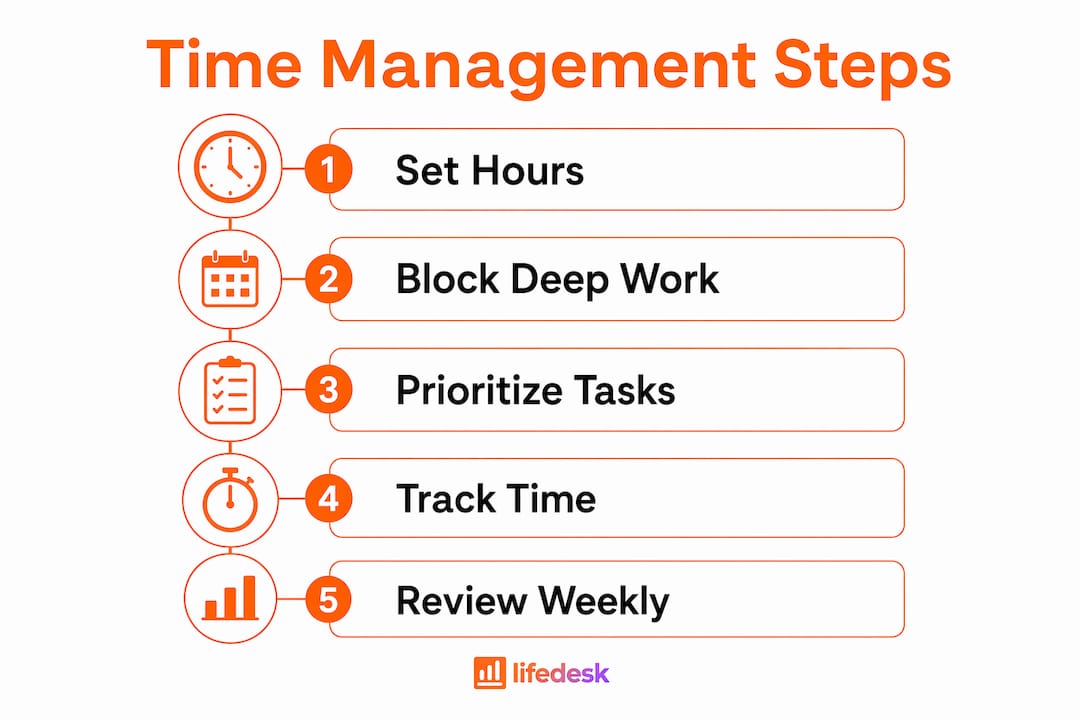
A weekly review is a short, scheduled ritual where you clear your inboxes, check your calendar, and pick your priorities before the new week starts. The simplest version takes 15 to 20 minutes: dump loose tasks into one list, scan the next seven days, and write down...
Project and client management work best as two linked systems, not one blurred job. Delivery lives on scope, schedule, and resourcing; the relationship lives on trust, expectations, and retention. Agencies that connect them, with a shared client record and a fixed...
Calendar task integration turns your to-do list into scheduled, time-bound calendar blocks so work actually gets done instead of piling up unseen. The fastest path is either a native tasks layer inside your calendar app or an OAuth-based connector syncing a separate...
Quarterly planning means running your business goals on a 90-day cycle instead of a single annual push, reviewing progress and adjusting course every quarter. The practical version that works best: pick a few measurable priorities, assign a clear owner to each, set...
Most people don’t need one framework. They need three, stacked by time horizon: a long-range direction setter like a BHAG or OGSM, a quarterly execution engine like OKRs, and SMART criteria to keep the resulting key results honest and measurable. Skip the strategic...
The PARA method sorts every file, note, and task you own into four folders (Projects, Areas, Resources, Archives) based on how soon you need to act on it. The main payoff is speed: you stop hunting through nested folders and start finding what you need in seconds,...
The best prioritization frameworks for anyone juggling client work, personal goals, and everything in between are the Eisenhower Matrix, the Pareto principle (80/20), the 1-3-5 Rule, time blocking, and a weekly review. Pick one today: schedule a 90-minute protected...
The fastest way to turn emails into tasks is to use your inbox’s built-in conversion feature (Outlook’s drag-to-Tasks or Gmail’s Tasks panel) for one-off items, and automation rules for anything that repeats. Manual capture works fine at low volume; once the same type...
A hobby project planner is a tool, template, or notebook system that helps you capture ideas and, more importantly, always know your single next physical action. Right now, pick one tool, however basic, and write down the very next step for your current project....
AI agents reclaim your schedule by auto-scheduling tasks, defending focus blocks, and resolving conflicts before you even notice them, but only when you keep human-in-the-loop controls turned on. The strongest results come from task-first tools that unify your to-do...
Time Management for Freelancers: Protect Your Billable Hours
The fastest way to get control of your freelance schedule is a weekly operating template that protects revenue-generating hours, a short daily shutdown ritual, and disciplined time tracking. Not a longer to-do list. A calendar-first system beats a list-first system because it forces you to confront reality: you have a limited number of usable hours each week, and every unscheduled hour gets eaten by someone else’s priorities.
Start here. Six things you can act on in the next hour:
Set protected working hours. Pick a start and end time and treat them like client commitments.
Reserve a morning deep-work anchor. Block 9:00–11:00 AM (or your peak energy window) for revenue-generating work only.
Build a weekly operating template. Assign named blocks to each day before the week starts.
Track billable vs. non-billable time. You cannot fix what you cannot see.
Set explicit response windows. Tell clients you check messages at 10:00 AM and 3:00 PM, not constantly.
End each day with a 15-minute shutdown ritual. Close open loops, note tomorrow’s first task, log off.
A to-do list tells you what exists. A calendar tells you when it happens and whether it fits. That distinction is where most freelancers lose control.
How do you set working hours that clients and family actually respect?
Defined working hours are an operational decision, not a lifestyle preference. When you leave them undefined, clients fill the gap with their own assumptions, and household members assume you are always available.
Pick a core anchor window (typically several hours of peak-energy time) and a flex window for lighter tasks and calls. Match the anchor to when you genuinely think best, not when you think you should work. If your sharpest hours are 7:00–11:00 AM, protect them for client delivery and proposals. Save the flex window for email, invoicing, and calls.
For client communication, a simple onboarding script works better than hoping they figure it out:
“My response window is 10:00 AM and 3:00 PM Eastern. For urgent issues, use [specific channel] and I’ll respond within two hours.”
“Turnaround on deliverables is [X] business days from approved brief.”
“Revisions outside the agreed scope are billed at my standard hourly rate.”
For shared-space freelancers, a physical cue (closed door, headphones on, a simple sign) does more than a conversation. Negotiate one or two “hard blocks” per day with household members where interruptions are genuinely off the table.
Pro Tip:Put your working hours and response windows in your welcome packet or contract. When a client pushes back on boundaries later, you can point to the document instead of having an awkward conversation from scratch.
How do you build a weekly template that actually holds up?
A Weekly Operating Template converts vague intentions into calendar appointments. The goal is not a perfect week. It is a repeatable default that survives client reality.
Start with a Time Budget Framework. A practical split for most freelancers:
80% billable client work (delivery, calls, revisions)
20% investment time (business development, systems, learning)
Protect the 20% investment block every week, even when your client load is full, to prevent feast-or-famine cycles.
Sample weekly template
Block
Day(s)
Hours
Purpose
What goes here
Morning deep work
Mon, Tue, Thu
9:00–12:00
Client delivery
Writing, design, code, strategy
Buffer
Mon, Tue, Thu
12:00–12:30
Absorb overruns
Catch-up, quick client replies
Admin/ops
Mon
2:00–4:00
Operations
Invoices, bookkeeping, tools
Call block
Wed
9:00–12:00
Client calls
All meetings, check-ins
Business development
Fri
9:00–11:00
Investment time
Proposals, outreach, content
Weekly review
Fri
11:00–12:00
Planning
Next-week template, audit
Assign one client per focus block. Context switching between clients inside a single block costs more time than the switch itself. A block labeled “Client A: draft report” is easier to enter and exit cleanly than “Client A + Client B: various.”
Quick checklist to adapt this template for your situation:
1–2 active clients: consolidate call block to one morning per week
3–4 clients: keep Wednesday as call-only, add a second buffer on Thursday
5–6 clients: add a second admin block on Tuesday afternoon
Night workers: shift anchor to 8:00–11:00 PM and calls to late afternoon
Parents: anchor during school hours, flex block in evenings
How do you prioritize tasks when everything feels urgent?
Many freelancers have a priorities problem, not a time problem. They treat a client’s “quick question” email with the same urgency as a deliverable due in two hours. The result is a full day with nothing shipped.
Revenue-generating activities (RGAs) are the tasks that directly produce income or protect future income: client delivery, proposals, sales calls, and follow-ups. Everything else, including admin, social media, and internal meetings, is support work. Support work matters, but it should never displace RGAs.
Each morning, pick 1–3 Most Important Tasks (MITs). Schedule them in your peak-energy anchor window before you open email. A useful triage rule:
Do now: RGAs, client deliverables with today’s deadline
Block this week: investment tasks, non-urgent client work
Delegate or drop: admin that someone else can handle, tasks with no clear outcome
Pro Tip:Lock in a recurring 20% investment block even during your busiest client months. Freelancers who skip business development when they are fully booked create the feast-or-famine cycle themselves. A fixed Friday morning block for proposals and outreach keeps the pipeline moving regardless of current workload.
What sprint patterns actually work for deep creative work?
Two patterns cover most freelance work styles. The Pomodoro technique (25 minutes on, 5 minutes off, with a longer break after four cycles) works well for tasks with clear stopping points: writing sections, coding modules, editing passes. The ultradian rhythm approach uses 90–120 minute blocks followed by a genuine 20-minute rest. It suits longer creative sessions where breaking every 25 minutes disrupts flow.
A sample productive day using both:
7:00–7:30 AM: Morning ritual, review MITs
7:30–9:00 AM: Ultradian block, deep client work (no interruptions)
9:00–9:20 AM: Rest, walk, coffee
9:20–10:50 AM: Second ultradian block or Pomodoro cycles
10:50–11:00 AM: Buffer, quick replies
11:00–12:00 PM: Calls or lighter client tasks
12:00–1:00 PM: Lunch, genuine break
1:00–3:00 PM: Admin, invoicing, async comms
3:00–3:30 PM: Response window (email, Slack)
3:30–4:30 PM: Business development or learning
4:30–5:00 PM: Shutdown ritual
Batching rules that make this hold:
Cluster all calls on one or two days (Wednesday works for most freelancers)
Cap calls at 30 minutes with a written agenda sent 24 hours ahead
Build 30-minute buffer blocks between major tasks so a single overrun does not cascade into lost deep-work time
Check email twice a day, not continuously; constant inbox checks impose a re-engagement cost that adds up to hours per week
How do you design a workspace that protects deep work?
The environment does most of the work before willpower has to. A distraction-minimizing setup checklist:
Turn off all non-essential notifications on phone and computer during anchor blocks
Use a separate browser profile for work (no personal tabs, no social feeds)
Put your phone in another room or face-down in a drawer during deep-work blocks
Use a visual cue (a specific lamp, a desk sign, headphones) to signal “unavailable” to household members
If you work in a co-working space, book the same quiet zone each time so your brain associates the spot with focus
Your start ritual does not need to be elaborate. Three minutes: review your MITs, open only the files you need, start a timer. That small sequence tells your brain the work is beginning.
The shutdown ritual is the one most freelancers skip and the one that pays off most. Fifteen to twenty minutes at the end of each day: review what you completed, close all browser tabs and apps, write tomorrow’s first task, and say out loud (or type) “shutdown complete.” It sounds theatrical, but it works. Work anxiety drops when open loops are closed deliberately rather than left floating.
Pro Tip:Share a simple one-page calendar showing your blocked hours with regular clients and household members. A visual calendar answers “when can I reach you?” before they ask, and it makes your blocks feel real to people who otherwise assume you are flexible all day.
Which tool categories should every freelancer actually use?
Tool bloat is a real productivity drain. The goal is a small stack where each tool does one thing you cannot skip. Four categories cover the system:
Calendar: Google Calendar or Apple Calendar. The weekly template lives here. Non-negotiable.
Billable time tracker: Tracks hours by client and project for accurate invoicing. LifeDesk’s built-in time tracker handles this with billable categories so you can tag sessions by client and task type.
Behavioral/focus tracker: Logs focus session length and context-switch frequency. Separate from billing; tells you when you work best, not just how long.
Lightweight project manager: A simple board or list that shows active deliverables, deadlines, and client status at a glance.
When evaluating any tool, ask four questions: Does it improve billing accuracy? Does it support focus sessions without adding friction? Does it handle async communication or integrate with your comms tool? Does it require less than 10 minutes a day to maintain?
Simple automations that save repeated time: proposal templates with pre-filled scope and payment terms, a weekly status-update template you send every Friday, and automated invoice reminders at net-7 and net-14. These are not fancy. They just eliminate the decision and the typing every single time.
What time-tracking metrics should you collect every week?
Billing time and behavioral tracking serve different purposes. Billing data tells you what to invoice. Behavioral data tells you when you produce your best work and where time leaks. You need both.
Weekly metrics to track
Metric
What it measures
How to use it
Billable %
Share of total hours that are invoiced
Below 60%? Cut non-billable tasks or raise rates
Focus session length
Average uninterrupted work block
—
Context-switch rate
How often you shift between clients/tasks
High rate = restructure blocks, add buffers
Client overruns
Hours spent beyond agreed scope
Triggers scope-change conversation or contract update
A weekly time audit takes about 20 minutes. Review the past week’s tracked time, flag any block where you switched tasks more than twice, and identify your three highest-earning hours. Then protect those hours in next week’s template.
Pro Tip:Run a one-week audit in 30-minute increments before you redesign your schedule. Most freelancers discover 60–90 minutes of daily leakage in email, unplanned calls, and task-switching. Plugging those leaks is faster than adding hours.
How do you stop scope creep before it destroys your schedule?
Scope creep is a time management problem disguised as a client relationship problem. Three contract clauses that prevent most of it:
Response time:“Responses to client messages are provided within one business day during my working hours of [X] to [Y].”
Scope change fee:“Work outside the agreed deliverables is billed at $[rate]/hour, invoiced separately, and requires written approval before starting.”
Turnaround buffer:“Deliverable timelines begin upon receipt of all required assets and approved brief, not upon project start date.”
When a client asks for extra work without extra pay, a short script works better than a long explanation: “That falls outside our current scope. I can add it as a change order at $[rate], or we can swap it for [original deliverable] if you prefer.” No apology, no lengthy justification.
Before accepting a new statement of work, run a quick capacity check: add the estimated weekly hours to your current committed hours. If the total exceeds your billable block capacity, something has to move or the new work gets a later start date. LifeDesk’s capacity and project tools let you map active projects against your weekly template so you can see the conflict before you commit.
Common scope-creep signs and immediate actions:
Client sends “one quick question” emails daily: set a response window and reply in batches
Deliverable keeps expanding after approval: point to the signed brief and issue a change order
Calls run over 30 minutes regularly: send an agenda and set a hard end time
You are doing work not in the contract: stop, document it, and invoice or negotiate
A daily and weekly routine cheat-sheet you can copy right now
One productive freelance day
Time
Block
What happens
7:00–7:30 AM
Morning ritual
Review MITs, open work files, start timer
7:30–9:30 AM
Deep work anchor
Client delivery (RGAs only)
9:30–10:00 AM
Buffer
Overruns, quick replies
10:00–12:00 PM
Second work block
Client work or business development
12:00–1:00 PM
Lunch break
Genuine rest, no screens
1:00–3:00 PM
Admin/ops
Invoices, email, bookkeeping
3:00–3:30 PM
Response window
Email, Slack, client messages
3:30–4:30 PM
Business development or learning
4:30–5:00 PM
Shutdown ritual
Close loops, set tomorrow’s first task
One-week pattern
Monday: Deep work + admin block (invoices, weekly plan)
Tuesday/Thursday: Deep work + buffer
Wednesday: Call day (all meetings, check-ins)
Friday: Business development + weekly review
Checklist to adapt for your situation:
Night worker: shift anchor to 8:00–11:00 PM, calls to 4:00–6:00 PM
Parent with school-age kids: anchor 9:00 AM–12:00 PM, second block 8:00–10:00 PM
Multi-client (5+ active): add a second admin block Tuesday afternoon, use one-client-per-block strictly
Single-client retainer: consolidate call day to one morning, expand deep-work blocks
Why does prioritizing RGAs and tracking behavior actually work?
Prioritizing revenue-generating activities and adding behavioral tracking produces higher revenue per hour than simply working more hours. The mechanism is straightforward: when you know which hours produce your sharpest output, you can schedule your highest-value work there instead of wherever a gap happens to exist.
A simple experiment to validate this for your own schedule: run a 7-day time audit in 30-minute increments, tagging each block as billable, investment, admin, or distraction. In week two, move your top three earning-window hours to protected anchor blocks. Measure billable output at the end of week four. Most freelancers find the shift alone recovers several billable hours per week without adding a single hour to the workday.
Protecting your morning anchor for RGAs, fixing a 20% investment block, and building buffer blocks between tasks are the three highest-leverage changes a freelancer can make. Each one is a structural fix, not a willpower fix, which is why they hold up when client pressure increases.
Research-backed takeaways that support the system:
Protect the morning anchor for RGAs: peak cognitive performance is finite and front-loaded for most people
Fix the 20% investment block regardless of current client load to prevent pipeline collapse
Use buffer blocks between major tasks so interruptions do not cascade into lost sessions
Track both billing and focus quality; billing data alone misses the when that determines output quality
Key Takeaways
Effective time management for freelancers comes down to one structural shift: protect revenue-generating hours in a weekly template, track both billing and focus quality, and close each day with a deliberate shutdown ritual.
Point
Details
Protect RGAs first
Schedule revenue-generating tasks in your peak-energy anchor window before anything else.
Use a weekly template
Assign named blocks to each day; treat them as client commitments, not suggestions.
Reserve 20% of your hours for business development every week, even when fully booked.
LifeDesk unifies the system
LifeDesk’s time tracker, project boards, client management, and tasks and goals tools implement the full system in one place.
LifeDesk gives freelancers one place to run the whole system
Juggling a calendar app, a separate time tracker, a project board, and a CRM means your system has four places to break down. LifeDesk collapses that into one platform built specifically for freelancers and solopreneurs managing both client work and personal priorities.
The features map directly to what this guide recommends. The built-in time tracker handles billable categories and focus tags so you capture both billing data and behavioral patterns in the same tool. Project boards and weekly templates let you build your operating template and assign clients to blocks without switching apps. Client management stores response windows, onboarding language, and scope notes so every client relationship starts with clear expectations. Tasks and goals let you set MITs, recurring investment blocks, and daily priorities in the same view as your calendar.
To get started: set your weekly template first, enable the time tracker with billable categories, and add your top two clients with their response windows. LifeDesk’s free plan covers the basics. The paid Plus and Pro tiers unlock bank account integration, the AI assistant, and higher project limits. Try the full feature set free before deciding whether to upgrade.
Useful sources and further reading
Time Management for Freelancers: A Complete System — Covers the Time Budget Framework, Weekly Operating Template, and investment block logic in detail. Start here if you want to build the full system from scratch.
Freelance Time Management: A No-BS Guide — Practical on RGAs, response windows, buffer blocks, and the cost of constant inbox checking. Good for freelancers who want tactical scripts fast.
Freelancer Time Tracking: How to Track Hours, Focus Quality, and Real Earning Power — The clearest explanation of why behavioral tracking (focus session length, context-switch rate) matters alongside billing data.
Time Management for Freelancers: A System That Actually Works When You Have No Boss — Deep coverage of the shutdown ritual, investment block discipline, and two-layer tracking. Worth reading in full.
Time Blocking for Freelancers: A Realistic Weekly Schedule That Actually Works — Focuses on making time-blocking durable with buffers, clustered calls, and an admin day. Useful for adapting the sample template.
LifeDesk time tracker — The tool that implements billable tracking and focus tags described in this guide.
LifeDesk projects and templates — Where to build your weekly operating template and assign clients to blocks.
LifeDesk tasks and goals — For setting MITs, recurring investment blocks, and daily priorities.
FAQ
What is the single most effective time management technique for freelancers?
Building a weekly operating template with named blocks for client work, business development, and admin is the highest-leverage change most freelancers can make. It forces you to confront capacity limits before committing to new work.
How many hours should freelancers spend on business development?
Reserve 20% of your weekly hours for business development, proposals, and pipeline work, even when your client load is full. Skipping it during busy periods is the primary cause of feast-or-famine income cycles.
What time-tracking metrics matter most for freelancers?
Track billable percentage, average focus session length, context-switch rate, and client overruns weekly. Billable percentage tells you what to invoice; focus session length tells you when you produce your best work. LifeDesk’s time tracker captures both billing and behavioral data in one tool.
How do you handle scope creep without damaging client relationships?
Use a written scope-change clause in every contract and a short script: acknowledge the request, name it as out-of-scope, and offer a change order or a trade. Clients rarely push back when the process is clear from the start.
What is a shutdown ritual and why does it matter?
A shutdown ritual is a 15–20 minute end-of-day routine where you review completed work, close open digital loops, and write tomorrow’s first task. It reduces work anxiety and dramatically improves next-day start quality.