TL;DR Reverse goal setting means writing the end result first, then stepping back milestone by milestone until you reach a first action you can take today. It pays off on complex, multi-step goals. For short tasks of a step or two, research on planning direction found...
A task dependency is a link between two tasks: one cannot start or finish until the other has started or finished. For a freelancer or solo business owner, the useful version is simple. Know which task is waiting on which, put the blocking task first in your calendar,...
A client retention plan is a short set of repeatable habits for every stage of a client relationship, from the first welcome message to the follow-up after the project ends. For a freelancer, the plan that works is the one you can run in about 20 minutes a week: one...
A good color-coded calendar uses three to five colors, gives each color one meaning, and keeps those colors identical on every device. If you can look at your week for three seconds and see where work, personal time, deadlines and focus blocks sit, the system is...
Yes, AI can take your meeting notes. It records or listens to the call, turns speech into a transcript, and has a language model write a summary and a list of action items. The tools are the easy part. What decides whether AI meeting notes help you is what happens...
A CRM with a calendar puts your client records, meetings, tasks and follow-ups in one place, so every call you schedule is tied to the person and the deal behind it. For a freelancer or solo business owner, the best choice is the one that shows your client work next...
AI can turn your income, bills and goals into a working monthly budget in minutes. It can also categorize spending, explain budgeting methods and test “what if” scenarios. It works best when you give it real numbers, tell it which method to use, and check the output...
A recurring task is any piece of work that comes back on a pattern: the weekly invoice run, the Tuesday workout, the monthly tax set-aside, a client’s birthday. The best way to manage them is to decide two things for each one: what triggers the next copy (the calendar...
A life operating system (often shortened to Life OS) is one connected setup where your goals, projects, tasks, calendar, notes, money and habits live together and inform each other. A to-do list only stores actions. A life OS also tells you why those actions matter...
The most reliable way to plan work and personal life together is to stop splitting them. Write every commitment into one inventory, put it on one calendar, rank it by importance and urgency, give it a block of time, and review the plan weekly. The rest of this guide...
Hobbyists: Start a Hobby Project Planner with One Next Action
A hobby project planner is a tool, template, or notebook system that helps you capture ideas and, more importantly, always know your single next physical action. Right now, pick one tool, however basic, and write down the very next step for your current project. LifeDesk works fine for this too, if you want everything in one place from the start.
TL;DR:
Digital templates are ideal for hobbyists managing multiple projects and need customizable fields, but they require significant setup time.
Simpler apps, printable sheets, or paper notebooks suit those who want quick, low-maintenance tracking without complex features.
The most critical features for hobby tracking are easy next-action capture, session planning with timeboxing, and basic inventory or milestone tracking.
Over-engineering a system makes it harder to maintain, so limiting fields to core actions, materials, and logs helps sustain long-term use.
A single integrated platform like LifeDesk can streamline managing multiple hobbies, budgets, and schedules, saving time spent switching between tools.
What Kind of Hobby Project Planner Fits How You Actually Work?
Four approaches cover almost every hobbyist, and none of them is objectively “best.” The right pick depends on whether you’re the type who opens an app forty times a day or the type who wants a notebook that never needs charging.
Digital templates (Notion, Airtable, or similar) give you flexible fields for materials, progress notes, and photos. They fit people juggling several projects who like customizing layouts, but the setup time can eat an entire evening if you let it.
Simple personal apps built specifically for one-person projects skip that overhead entirely. Wabi’s Project Planner gets you started in under a minute precisely because it was designed without team features clogging the interface. Apps like this fit hobbyists who want structure without a learning curve.
Printables work well for people who plan at a desk but build somewhere else, like a garage or a craft table with no laptop nearby. A one-page project sheet taped inside a supply box beats scrolling an app with sawdust on your hands.
Paper notebooks remain the lowest-friction option of all. No sync issues, no app updates breaking your layout, just a pen and a page.
Fit signals worth weighing:
Project scale: A single quilt needs less than a rotating collection of five model kits.
Calendar sync: If you batch hobby time around a day job, digital wins.
Photo capture: Digital tools log progress photos instantly; paper requires a separate phone habit.
Inventory needs: Filament spools, yarn stashes, and electronics parts bins benefit from searchable digital lists.
What Features Actually Matter for Tracking a Hobby Project?
Most hobby tracking apps pile on features you’ll never touch. Here’s what to actually check before adopting one:
Next-action capture. The tool should make it trivial to write down one physical next step, not a vague goal. Decomposer builds entire plans around a “focus view” that surfaces only the single task in front of you, which cuts down the moment of staring at a project wondering where you left off.
Session planning and timeboxing. Look for a field where you can block 30 or 60 minutes and attach it to a specific action, not just “work on project.”
Materials and inventory fields. If your hobby involves consumables (paint, filament, fabric), a lightweight inventory list saves repeat trips to the store.
Milestones over dependencies. Complex dependency charts belong in workplace software. A hobby planner needs three or four milestones, not a Gantt chart.
Calendar sync, reminders, and export. Nice to have, not deal breakers. Export matters more than people realize, since you don’t want years of notes locked inside a discontinued app.
Pro Tip:If a tool asks you to configure custom fields before you’ve logged a single session, that’s a signal it’s more complex than your hobby needs.
How Do You Set Up a Hobby Planner in Under 20 Minutes?
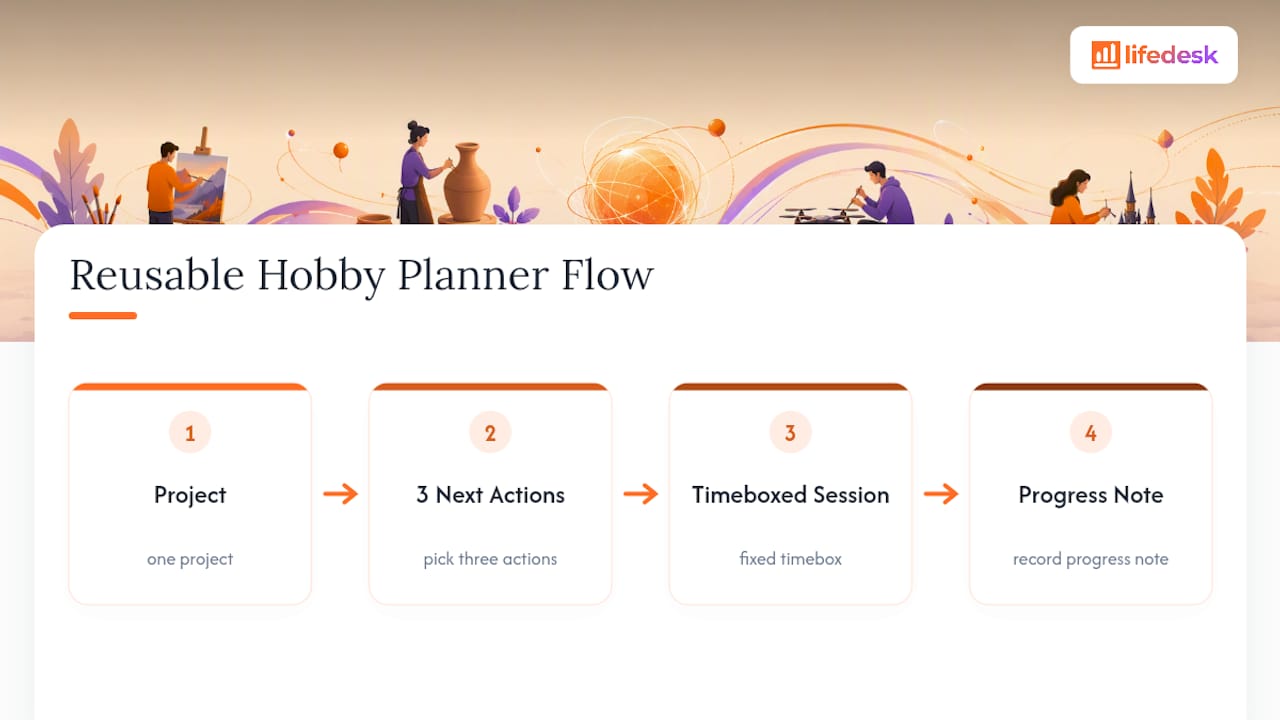
Over-engineering is the most common way hobby planning systems die before the hobby does. The fix is a short, boring routine you run once per new project.
Create one project with a clear outcome. Not “learn woodworking,” but “build the oak side table from the plan I saved.” Specific outcomes are checkable; vague ones aren’t.
Write three next actions. List the three physical steps you can picture doing right now, then mark one as your single next action. That marked item is the only thing you need to remember tomorrow.
Schedule your next session and timebox it. Thirty minutes on Thursday evening beats an open-ended “sometime this weekend” that never happens.
Add a minimal materials list. Three or four items max at this stage. You can expand it later if the project demands it.
Capture progress before you stop. Take one photo and write one short note about what’s done and what’s next. This single habit is what makes a project resumable after a three-month gap, since your future self doesn’t have to reconstruct anything.
Run this same sequence for your first three sessions and you’ll have a working rhythm: open the planner, check the next action, work the timebox, snap a photo, close it. That loop matters more than any feature list, because a project that stalls because the “next step” is unclear is far more common than one that stalls from lack of interest.
Templates You Can Copy Right Now
You don’t need to design a system from scratch. Three layouts cover most hobbyists.
Notion-style tracker fields:
Project name and one-sentence goal
Next actions (three, with one flagged as current)
Materials/inventory list
Session log (date, what got done, one photo link)
Status (active, paused, done)
Printable one-page project sheet. Put the goal and next action at the top where your eyes land first, materials list in the middle, and a session log grid at the bottom for quick check marks. Keep it to one page. If it needs a second page, your project needs breaking into phases.
Simple board layout. Three columns: Next Up, In Progress, Done. Turnboards uses exactly this kind of board to keep each hobby or build on its own clear view, which works well if you juggle two or three projects and need to switch between them without losing your place. Crafters managing several works-in-progress at once, like cross stitch projects, often lean on a board for this reason.
Whichever layout you pick, export your data periodically, either as markdown, CSV, or PDF. Local-first tools like Hoblio build around this idea directly, storing ownership history and notes without requiring an account at all.
When Does a Template Stop Being Enough?
Templates work great until they don’t. There’s no single best tool for every hobbyist, and the honest answer is that needs expand at different rates for different people.
The signals are usually the same three things: you’re running four or five projects at once, you need your hobby budget to talk to your actual bank account, or you keep opening three different apps just to see what’s scheduled this week. That third one is the real tell. Switching between a calendar app, a notes app, and a separate tracker for materials costs more mental energy than the actual hobby work.
An integrated platform removes that switching cost by keeping goals, calendar, and finances in one view. LifeDesk was built around exactly this kind of cross-domain sync, letting a hobby budget line sit next to your project tasks instead of in a separate spreadsheet.
A hobbyist juggling model trains, a woodworking build, and a monthly materials budget doesn’t need three apps. They need one place that shows the next action, the money left in the budget, and Saturday’s open time block, together.
I’m Arthur, and I write LifeDesk’s guides on project management for solopreneurs because the same context-switching problem that drains freelancers drains hobbyists too. The tools differ; the friction is identical.
How Do You Adapt a Planner for Your Specific Hobby?
A planner built for crafting doesn’t automatically work for electronics, and a system tuned for writing looks nothing like one for painting. Adjust the structure, not the philosophy.
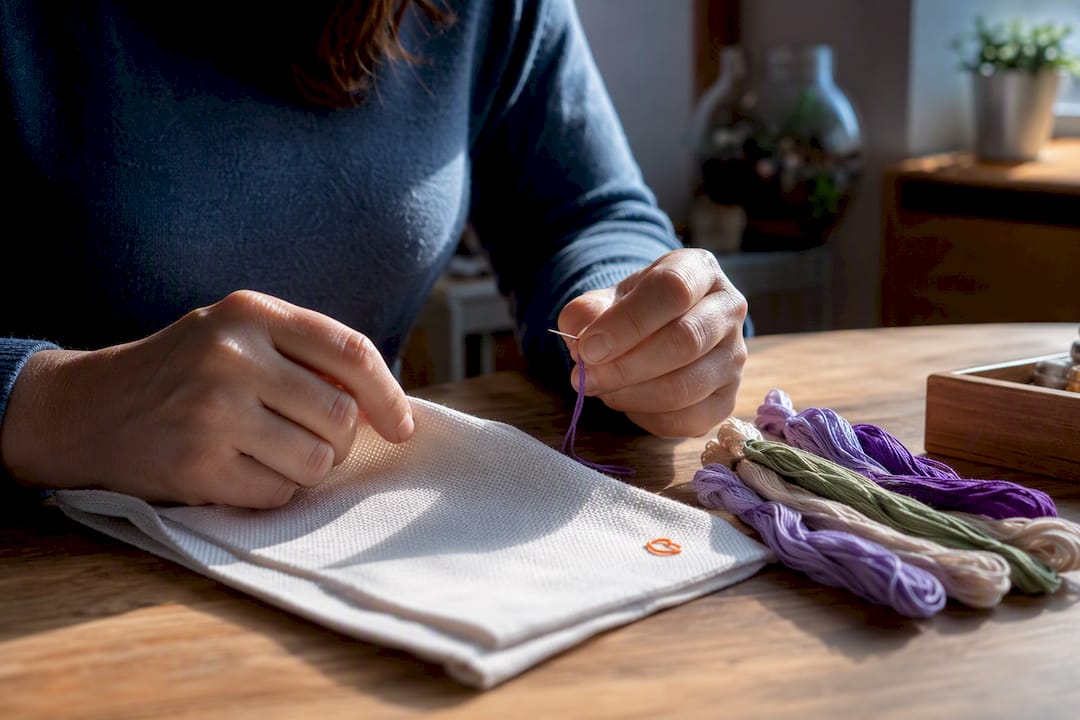
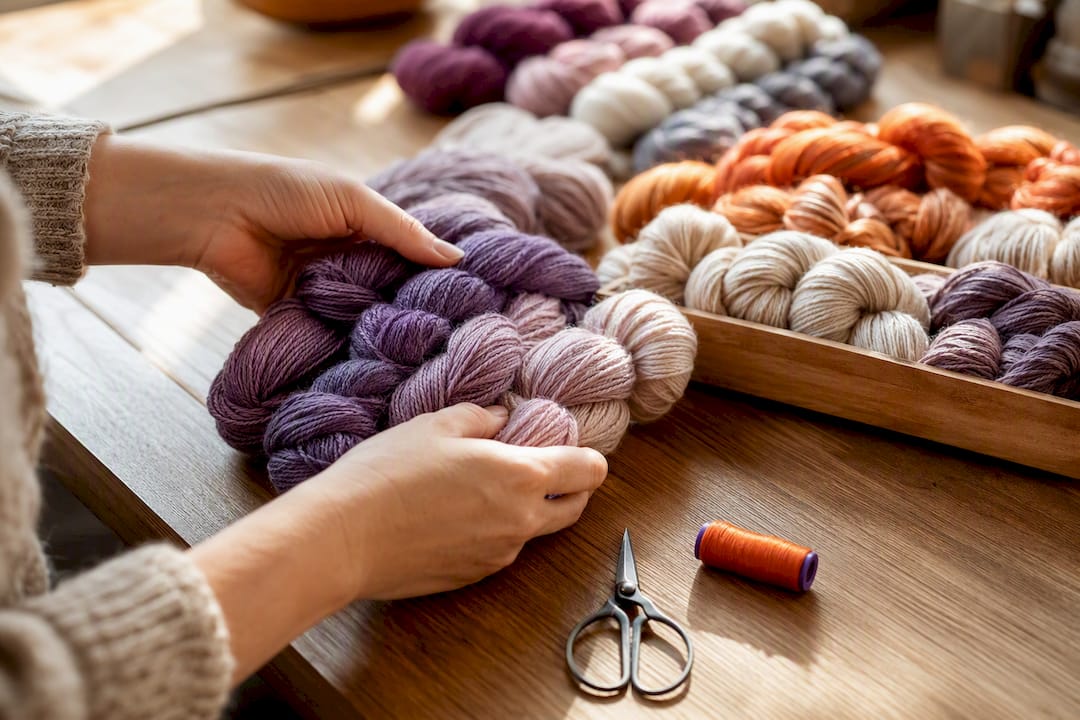
Crafting (knitting, sewing, cross stitch) benefits most from inventory fields tied to specific colors or dye lots, since running out of one skein mid-project is a real setback. Photo logs matter more here than almost anywhere else, since visual progress is the whole point.
Electronics and 3D printing need a materials field that tracks consumables like filament weight or component counts, because repeated purchases add up fast. Tying an inventory field to each project and reviewing it before you order parts saves both money and duplicate orders.
Art projects (painting, drawing, sculpture) usually need fewer materials fields and more milestone markers, since the work is less about consumables and more about stages: sketch, block-in, detail, finish.
Writing projects almost never need a materials list at all. Swap that field for a word-count or chapter tracker, and make your “next action” granular, like “outline chapter 4” instead of “write more.”
The underlying system, one project, three next actions, a timeboxed session, a progress note, stays the same across all four. Only the fields you fill in change based on what your hobby actually consumes and produces.
What Trips Up Most Hobbyists, and How Do You Fix It?
The biggest failure mode isn’t lack of motivation. It’s an unclear next step. A project sits half finished for months not because the hobbyist lost interest, but because nobody wrote down what “next” actually meant, so restarting feels like starting over.
The second issue is over-engineering the system itself. People spend a weekend building an elaborate tracker with custom tags, color-coded priorities, and dependency charts, then abandon the tracker within a month because maintaining it became its own project. The fix is almost insultingly simple: fewer fields, not more. A next action, a materials list, and a session log cover 90 percent of what any hobby needs.
A third challenge is inconsistent capture. If progress notes and photos only get logged occasionally, resuming after a break becomes guesswork. Apps built around AI coaching nudges, like the daily prompts in HobbyDex, exist partly to solve this by prompting a quick log without demanding a full journal entry.
Finally, hobbyists juggling multiple projects often lose track of which one they touched last. A simple board view, one column per project stage, solves this faster than any elaborate tagging system. The trick isn’t building a better system. It’s building a smaller one you’ll actually keep using.
How Do You Track Progress Without Turning It Into a Chore?
The simplest measure of success is frequency of sessions, not speed of completion. A project you touch for 30 minutes every week for two months will finish faster and with less frustration than one you attack in a single weekend and then abandon.
Photo logs are the most underrated tracking method available. A quick photo at the end of each session, stored alongside a one-line note, builds a visual timeline you can scroll back through. Months later, that timeline tells you exactly where you left off, without any mental reconstruction.
Session logs work as a second layer. Date, duration, what got done. Over time this reveals patterns: maybe your Sunday morning sessions are twice as productive as your Tuesday evening ones, information you’d never notice without a log.
Milestone completion rate matters more than task-list length. Counting how many of your planned milestones you actually hit over a quarter tells you more about your planning accuracy than counting total tasks completed, since task lists tend to grow while milestones stay fixed.
Avoid vague streak tracking, the kind that punishes you for missing a day. Gamified apps like HobbyDex deliberately skip streak pressure in favor of quests and coaching prompts precisely because streak anxiety kills more hobbies than it saves. Progress tracking should feel like a photo album, not a scoreboard you’re afraid to check.
Can You Plan Hobby Projects With Other People?
Solo hobby planning is the default case most tools are built for, but plenty of hobbies involve a group: a quilting circle, a maker space team build, a book club writing challenge, or a Discord server coordinating a shared project.
Shared boards work better than shared documents for this. A visible board where each person’s next action sits in its own column lets everyone see progress without a meeting. Comment threads attached to specific tasks, rather than a single group chat, keep discussion tied to the actual work instead of scattering it across unrelated messages.
Photo sharing deserves its own space in a group project. A shared album tied to session dates lets a scattered group see progress asynchronously, which matters when members are in different time zones or only free on different evenings.
Set a light cadence rather than a rigid schedule. Weekly check-ins work for most hobby groups; daily updates tend to feel like homework and drive people away from the very project meant to be fun. Assign one person as the point of contact for logistics, not because someone needs to be in charge of the hobby, but because someone needs to own the calendar and remind the group when the next session is happening.
Try LifeDesk for Your Next Hobby Project
If you’ve been bouncing between a notes app, a calendar, and a separate budget spreadsheet just to manage one hobby, that’s the exact friction an all-in-one setup removes. LifeDesk puts your project’s next actions, session schedule, and materials budget in the same view, so you’re not reconstructing context every time you sit down to work.
Getting started takes under 10 minutes. Create one hobby project, write three next actions and flag the one you’ll tackle first, then schedule your next session on the built-in calendar. Run that same loop for three sessions and you’ll know within a week whether the integrated approach actually saves you the switching time it promises. If your hobby involves recurring costs, materials budgets, or you’re juggling it alongside freelance work and personal goals, LifeDesk’s project features are worth testing against whatever spreadsheet or app you’re currently patching together.
A hobby project is a non-professional endeavor, creative work, home improvement, or skill-building, that someone treats with enough structure to make steady progress, even though it’s done for recreation rather than income.
What Does a Project Planner Do?
A project planner helps you capture ideas, break them into next actions, and schedule the time to work on them, whether that’s a workplace tool managing a team or a personal system tracking a single hobby build.
What Is the Best Free App for Project Planning?
There’s no single best app since needs vary by project scale and personal workflow. Tools built specifically for solo projects, rather than adapted team software, tend to fit hobbyists better because they skip features like team permissions and complex dependency charts.
What Is the Best Project Planner for Hobbies?
The best hobby project planner is the one that matches how you actually work: a lightweight app or printable for a single project, and an integrated platform like LifeDesk once you’re juggling several hobbies alongside calendar and budget needs.