TL;DR Reverse goal setting means writing the end result first, then stepping back milestone by milestone until you reach a first action you can take today. It pays off on complex, multi-step goals. For short tasks of a step or two, research on planning direction found...
A task dependency is a link between two tasks: one cannot start or finish until the other has started or finished. For a freelancer or solo business owner, the useful version is simple. Know which task is waiting on which, put the blocking task first in your calendar,...
A client retention plan is a short set of repeatable habits for every stage of a client relationship, from the first welcome message to the follow-up after the project ends. For a freelancer, the plan that works is the one you can run in about 20 minutes a week: one...
A good color-coded calendar uses three to five colors, gives each color one meaning, and keeps those colors identical on every device. If you can look at your week for three seconds and see where work, personal time, deadlines and focus blocks sit, the system is...
Yes, AI can take your meeting notes. It records or listens to the call, turns speech into a transcript, and has a language model write a summary and a list of action items. The tools are the easy part. What decides whether AI meeting notes help you is what happens...
A CRM with a calendar puts your client records, meetings, tasks and follow-ups in one place, so every call you schedule is tied to the person and the deal behind it. For a freelancer or solo business owner, the best choice is the one that shows your client work next...
AI can turn your income, bills and goals into a working monthly budget in minutes. It can also categorize spending, explain budgeting methods and test “what if” scenarios. It works best when you give it real numbers, tell it which method to use, and check the output...
A recurring task is any piece of work that comes back on a pattern: the weekly invoice run, the Tuesday workout, the monthly tax set-aside, a client’s birthday. The best way to manage them is to decide two things for each one: what triggers the next copy (the calendar...
A life operating system (often shortened to Life OS) is one connected setup where your goals, projects, tasks, calendar, notes, money and habits live together and inform each other. A to-do list only stores actions. A life OS also tells you why those actions matter...
The most reliable way to plan work and personal life together is to stop splitting them. Write every commitment into one inventory, put it on one calendar, rank it by importance and urgency, give it a block of time, and review the plan weekly. The rest of this guide...
AI Project Planning: A Practical Guide for Freelancers
AI is good at turning a messy project idea into a first-draft plan in minutes: milestones, task lists, dependencies, risks. It is bad at knowing your real capacity, your client’s approval habits and how long things actually take you. The best results come when AI drafts the structure and the plan then lives in the same place as your calendar, goals and client work, where you can correct it against reality. That is how we built LifeDesk’s project tools for freelancers and small businesses: projects, tasks, calendar, time tracking and an AI assistant in one app.
This guide shows you how to plan a project with AI step by step, how to build a roadmap that survives contact with real life, and how to check what the AI gives you.
LifeDesk
lifedesk.me
Keep Project Plans Connected to Your Work
LifeDesk brings projects, tasks, calendar, time tracking and an AI assistant together, alongside the personal and business planning freelancers manage.
AI is strongest at the first pass: PMI lists prioritization, risk identification, resource analysis and schedule automation as planning tasks it can support.
The quality of the plan depends on the quality of your input: write the objective, deliverables, constraints and your own capacity before you prompt.
Build a roadmap around phases and verifiable milestones, not exact dates, and decide in advance what would make you stop or change course.
Treat every AI plan as a proposal. You supply the durations, the people factors and the final decision.
Keep the plan next to your calendar and tasks, so every milestone becomes scheduled work.
Project planning means deciding what the project must deliver, which steps get you there, in what order, with which resources and by when. PMI’s AI guide calls planning the primary function of project management and says AI can analyze large amounts of data, predict future resource needs and optimize schedules so plans can be adjusted as things change. IBM describes AI in project management as using AI to support planning, automate repetitive tasks and analyze project data for insights.
For a freelancer or solo business owner, the useful jobs are concrete:
Drafting structure. Turning “launch a new website for a client” into phases, milestones and tasks.
Sequencing. Spotting that the copy must be approved before layout can finish.
Risk brainstorming. Listing what could go wrong before it does.
Scope checking. Asking what you forgot to include or exclude.
Scheduling. Laying tasks over the hours you actually have.
Scrum Alliance adds a point worth keeping: you still do the strategic work of prioritizing, then let AI overlay tasks with expected budget information for your review. AI proposes, you decide.
What AI cannot do is know things that are not in your prompt: your capacity this month, how slowly a particular client signs off, or that you lose Fridays to invoicing. That gap is where most AI-generated plans fail, and the rest of this article is about closing it.
Step 1: Write the brief before you open the chat
A plan is only as specific as what you tell the AI. Spend ten to fifteen minutes writing down four things:
The objective in one sentence. Not “improve my business” but “deliver a five-page site for a dental practice, live and handed over.”
The deliverables. What exists at the end, listed as things, not activities.
The constraints. Hard deadlines, budget, tools, dependencies on the client, anything regulated.
Your capacity. Hours per week you can truly give this project, alongside other clients and your private commitments.
The fourth item is the one freelancers skip, and it is the one that makes a plan realistic. Someone with several clients, a household and a fitness routine has a calendar that is already partly full. If your project plan does not know that, it describes a fantasy.
Also write down what is out of scope. AI tends to be generous about what a project includes, so unstated exclusions are a classic source of scope creep. A short “not included” list in your brief costs two minutes and can save you a week.
If the work you are planning is a process you already run, such as onboarding a client, map how it really happens first. A walkthrough of AI process discovery shows how to document what actually goes on before you ask AI to improve it. If you plan to feed AI client or business material, it is also worth reading about generative AI consulting for owner-led businesses so you know how to use these tools securely.
Step 2: Ask AI for a first-pass plan, not a final one
Give the AI a role and a structure to answer in. PMI’s list of practical uses suggests treating the AI as a planning partner: ask it for a first-pass plan with milestones, workstreams and dependencies, the assumptions that need validating, risks or missing information, and the questions to resolve before you start. Its key instruction is to tell the AI not to assume missing information.
A prompt you can adapt:
Act as a project planning partner. Here is my objective, deliverables, constraints and weekly capacity: [paste]. Create a first-pass plan with milestones, workstreams and dependencies. List the assumptions I need to confirm, the risks, and what information is missing. Do not assume missing information. End with the questions I should answer before starting.
The last two instructions matter most. The questions it asks back often reveal the holes in your own thinking: who approves the work, what happens if the client delays feedback, which tool handles hosting. Answer them, then ask for a revised plan.
Ask what you left out
A good second prompt is: “What have I not told you that a plan like this normally depends on?” It surfaces forgotten steps such as legal review, content collection, testing or payment milestones. Run it once, add what is relevant, and ignore the rest.
Step 3: Build the roadmap: phases, milestones, priorities
A project plan lists tasks. A roadmap shows the sequence of phases at a higher level so you can see where the project is heading. For anything longer than a few weeks, build the roadmap first and break phases into tasks only as you approach them.
Plan in phases with gates
The AI-delivery world has a useful habit you can borrow even for non-technical projects. Hokstad Consulting’s roadmap guide describes phases from business case to scale, each with entry criteria, evidence for the next gate and a decision: proceed, revise, extend, redesign or stop. For a solo professional, translate that into a simple rhythm:
Phase 1, Discover: confirm scope, collect materials, settle the budget.
Phase 2, Build: produce the main deliverable.
Phase 3, Review: client feedback and revisions.
Phase 4, Launch and handover.
At the end of each phase, ask one question: is the evidence good enough to move on? That is a gate. It is cheaper to stop or adjust at a gate than three weeks later.
Write milestones as proof, not activity
“Finish phase one” tells you nothing. A useful milestone states something you can verify. Open-source planning guidance from Moonweave-AI contrasts vague milestones with ones that describe a verifiable state. For a freelance project:
Weak milestone
Verifiable milestone
Design done
Client has approved the homepage and two inner page layouts in writing
Content ready
All page copy and images received and stored in the project folder
Testing
Site passes a checklist on mobile and desktop, with open issues at zero
Ask the AI to rewrite your milestones this way. It is a task it handles well.
Prioritize with a simple score
If you have more ideas than time, score each initiative for impact and feasibility on a 1 to 3 scale and do the high-high items first. A template from Digital Applied uses exactly this kind of impact by feasibility grid to decide what makes the yearly roadmap. You can ask AI to propose scores, but you set them: you know which ideas a client actually cares about.
If your project is part of a bigger yearly direction, stacking goal-setting frameworks helps you decide which projects deserve a place at all.
Do not promise dates for uncertain work
Some work has an unknown outcome: testing a new service offer, building an automation, learning a tool. LeanAgile Intelligence cautions that an AI roadmap should not be mistaken for a rigid project plan, because things change too quickly for every date and dependency to stay correct. For uncertain items, time-box a trial, say two weeks, and define in advance what result would make you continue, change direction or stop. Keep firm dates for the parts you control, such as client deadlines and invoice days.
Step 4: Check the plan before you trust it
This is the step that separates a useful AI plan from a confident-looking one. Work through four checks.
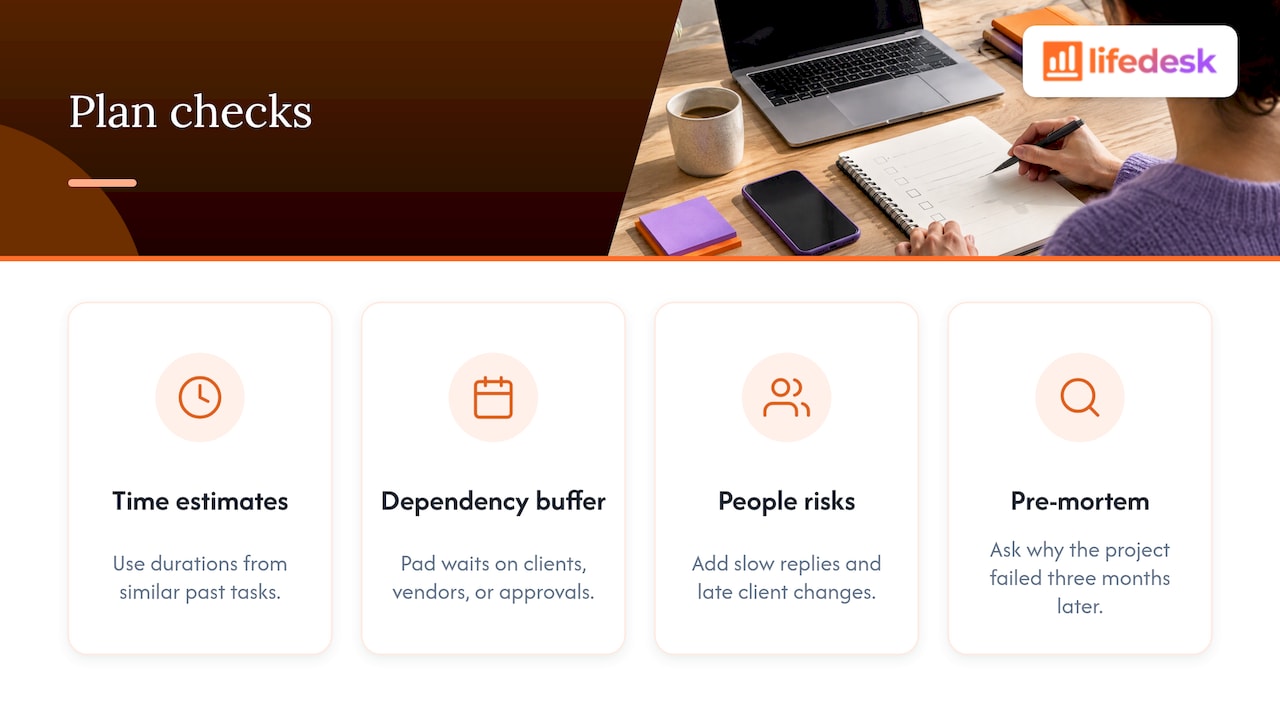
1. Replace the durations. AI estimates tend to echo what similar plans typically claim, which is the same optimism that makes human estimates unreliable. Keep the sequence and structure, but put in your own numbers, based on how long similar tasks took you before. Time tracking from past projects is the best source you have.
2. Add buffer for dependencies. PMI’s guidance, as summarized by project manager James McCann, says common scheduling failures come from underestimating dependencies and not building in enough buffer. Anything waiting on a client, a vendor or an approval deserves padding.
3. Add the people risks. AI does not know who is slow to reply or which client changes their mind late. It also tends to rate risks as medium by default unless you give it context. Add the human risks yourself and rate them honestly.
4. Run a pre-mortem. Open a fresh conversation, paste the plan and say: “It is three months from now and this project failed. List the most likely reasons.” A fresh chat gives a harder critique than the one that wrote the plan.
The broader rule comes from PMI’s practical guide: tell the AI to separate potential risks, current issues and missing information, and not to invent details. Whatever AI claims about the world, such as regulations or tool limits, verify against the original source. Where the stakes are financial or legal, a human with the right expertise makes the call, for example your accountant or lawyer.
Step 5: Turn the roadmap into scheduled work
A plan on a document is not yet a plan. It becomes real when each milestone has tasks, each task has a slot in your week, and the slot competes honestly with everything else you do.
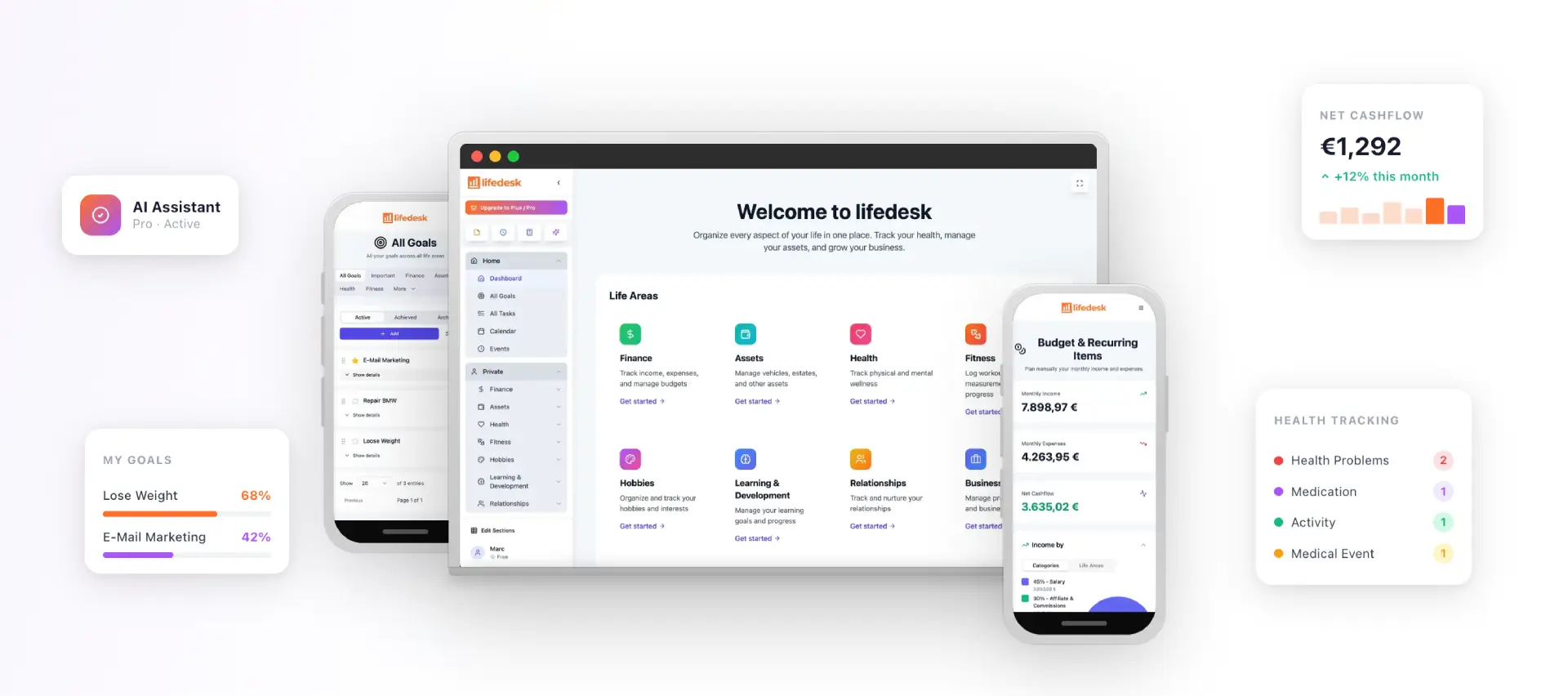
This is where keeping the project in one app pays off. A freelancer’s week is not only project tasks: there are other clients, invoices, a workout, a doctor’s appointment, a course. When the plan sits in a separate tool, you schedule it without seeing those conflicts. LifeDesk puts tasks, goals, calendar, finances, fitness and business projects in one place, with separate but accessible views for private and business life, so the plan is built against your actual week.
A simple routine:
Put each milestone into the project with a target week.
Break the current phase into tasks of two hours or less.
Projects drift when decisions live in memory. After client calls, write down what was decided, who owns what and what is still open. AI meeting notes are one way to capture, check and act on this, and the checked output feeds straight back into your task list. Record a decision in the plan only after you have confirmed it yourself.
A worked example: a freelance brand-identity project
Imagine you are a freelance designer with a six-week brand project, about 12 hours a week available for it, and two other clients.
Brief: deliver a logo, color palette and a one-page brand guide, approved by the client, in six weeks. Out of scope: website, packaging, printing.
AI first pass: four phases (discovery, concepts, refinement, handover) with ten tasks and the risk that feedback rounds run long.
Your corrections:
You replace AI’s two-day concept estimate with five days, because your last three logo projects took that long.
You add a buffer week for client feedback, since this client took nine days to respond last time.
You rewrite the milestone “concepts done” as “three concepts presented, client picks one in writing.”
You add a gate after concepts: if the client has not chosen a direction by the end of week three, you pause and agree on a revised timeline in writing.
Scheduling: two three-hour work blocks and one two-hour block per week on the calendar, around the other clients’ deadlines.
The AI gave you the skeleton in a few minutes. Your experience made it believable. That division of labor is the whole method.
Where LifeDesk fits
LifeDesk is an all-in-one app for personal and business self-management on web, iOS and Android. For project planning, that means your projects, tasks, calendar, time tracking, notes and client management sit together, and the integrated AI assistant works across them rather than in an isolated chat window. You can see a project’s tasks next to your other commitments and adjust before the week goes wrong.
There is a free plan at $0 per month. Plus is $9 per month and Pro is $19 per month, with paid plans unlocking features such as bank account connections, higher limits and the AI assistant. You can compare them on the LifeDesk pricing page or start from the LifeDesk homepage.
Common mistakes to avoid
Prompting with a one-line idea. You get a generic plan. Write the brief first.
Accepting AI durations. Use your own time data.
Planning every week of a six-month project in detail. Plan the current phase in detail and the rest as a roadmap.
Letting milestones describe activity. Make them provable.
Skipping the stop rule. Decide in advance what evidence would make you pause or change course.
Keeping the plan away from your calendar. A plan that does not see your real week will be wrong by Wednesday.
FAQ
What is the best way to start with AI project planning?
Write a short brief with your objective, deliverables, constraints and weekly capacity, then ask AI for a first-pass plan and the questions it needs answered. Revise the plan after you answer those questions. Start with a small project so you learn where the AI’s estimates are off.
Can AI build a project roadmap for me?
It can draft one: phases, milestones, dependencies and priorities. You should rewrite milestones so each one can be verified, replace the durations with your own and add decision points. Treat the output as a proposal you refine, not a baseline you follow blindly.
How accurate are AI time estimates?
They are a starting point. AI does not know your capacity, your client’s approval cycle or your working pace, so its durations tend to be optimistic. Use its sequence and structure, and fill in durations from your own past projects and tracked time.
What should I tell AI to get a useful project plan?
Give it the objective in one sentence, the deliverables, deadlines and budget, dependencies, what is out of scope and the hours you can realistically work. Ask it not to assume missing information and to list the questions it needs answered.
Do I need a paid plan to plan projects with AI in LifeDesk?
LifeDesk has a free plan at $0 per month for basic organization. The AI assistant is among the features that paid plans unlock, with Plus at $9 per month and Pro at $19 per month. Details are on the pricing page.